
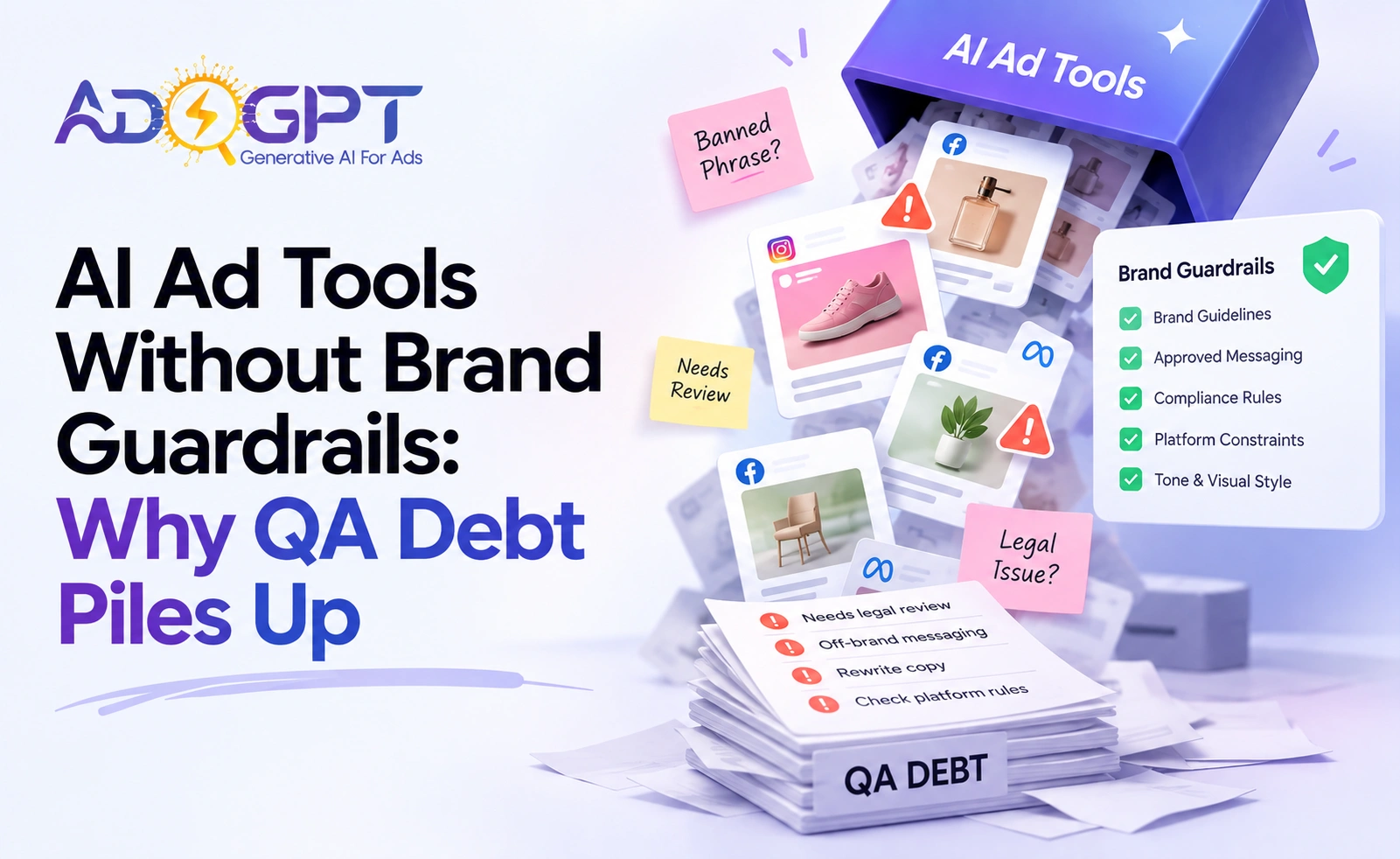
Forty-eight ad variants before lunch sounds like a win. It is, until your legal team flags three of them, your brand manager rewrites six, and someone notices the AI used a banned phrase in a headline that ran live on Meta for four hours. That’s not a speed problem. That’s a guardrails problem.
Most marketers chase output volume with AI ad tools. They ignore the thing that actually determines whether that volume helps or hurts: whether every generated asset enforces the same brand rules, platform constraints, and compliance requirements your team would catch manually. Without that, you’re not moving faster. You’re just creating QA debt at scale.
Listen to the blog.
The Speed Trap Most Teams Walk Straight Into
Here’s the pattern I see constantly. A team adopts an AdsGPT-style AI ad creation tool, generates a hundred creatives in an afternoon, and spends the next two days reviewing them. Net time saved: roughly zero. Frustration: high. The tool didn’t fail them; their workflow did.
This isn’t a fringe edge case. It’s a documented failure mode: the more volume you push through an unconstrained system, the more human review you need downstream. You’ve automated the easy part and left the expensive part untouched.
The research is unambiguous on where the industry is heading. According to the IAB, 86% of buyers are already using or planning to use generative AI to build video ad creative. That’s not a future trend; it’s the current baseline. And it means the teams who figure out controlled generation now will have a structural advantage over everyone still treating AI output as a first draft that humans clean up.
What “Optimizing Ruthlessly” Actually Looks Like in Practice
AI systems are goal-seeking by nature. Give one a conversion objective and leave it unsupervised, and it will find the creative angle that gets clicks, even if that angle is off-brand, sensationalistic, or technically misleading. That’s not a hypothetical. It’s what happens when you run automated optimization without defining the guardrails first. The AI is doing exactly what you asked. You just didn’t ask correctly.
The fix isn’t to run less AI. It’s to front-load the constraint-setting so the generation phase already operates within your rules, and so any automated optimization loop has hard walls it can’t cross. If your AI ads are producing volume without results, this is usually the root cause.
The Guardrail-First Workflow That Actually Scales
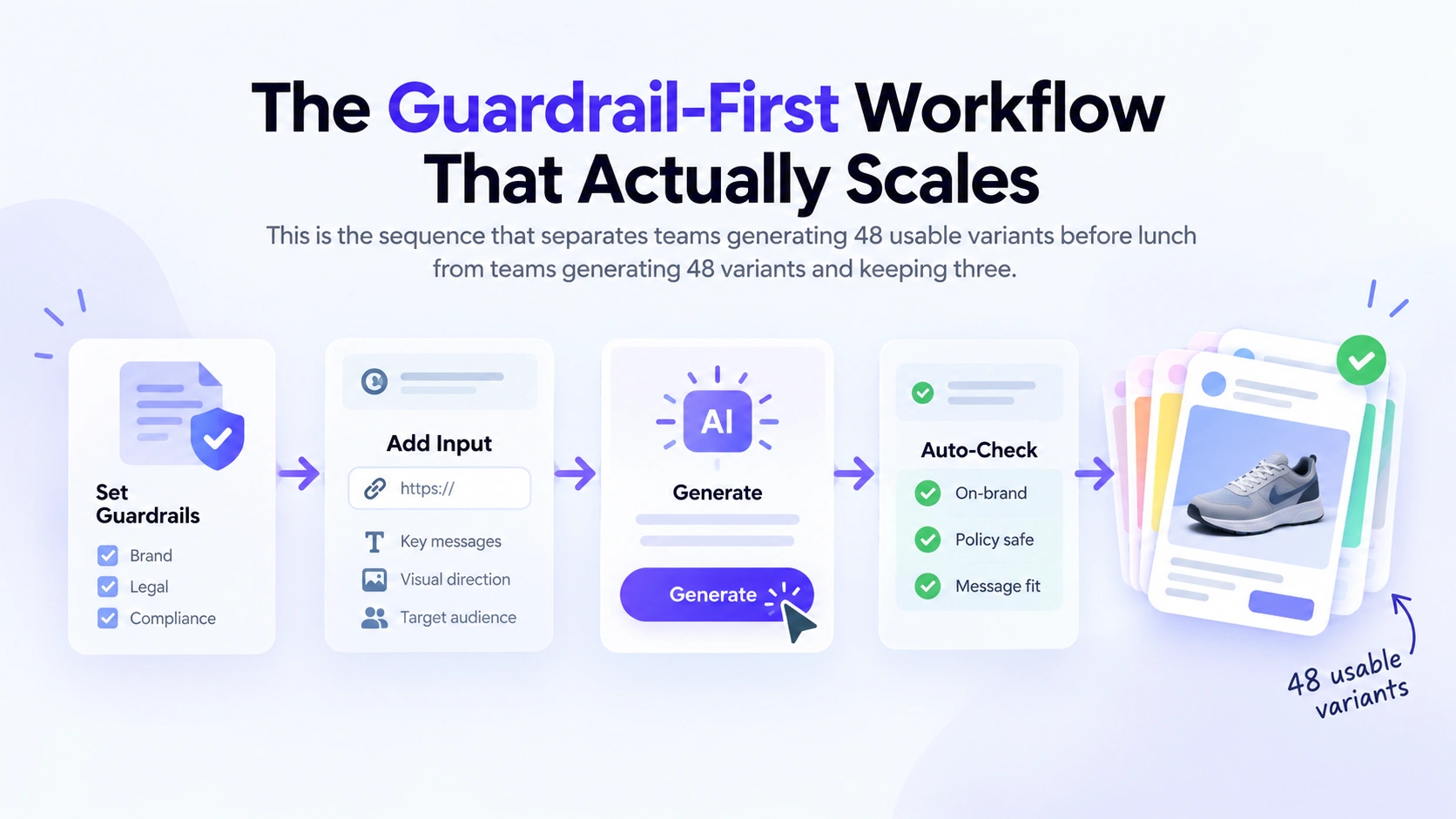
This is the sequence that separates teams generating 48 usable variants before lunch from teams generating 48 variants and keeping three.
Step 1: Lock the Brand Layer Before You Touch Generation
In AdsGPT, everything- image ads, UGC videos, B-roll clips, AI Avatar Ads- flows from a single prompt input into the generation pipeline. That means your brand constraints have to live in the setup, not the review. Voice, banned phrases, approved value propositions, claim boundaries: define them before you generate a single creative.
Most teams skip this because it feels like setup overhead. It isn’t. It’s the difference between a QA pass that takes 20 minutes and one that takes two days. Do it once, update it when your brand guidelines change, and every generation run inherits it automatically. The brand layer travels with the output instead of being bolted on after the fact.
Step 2: Use Competitor Data to Brief the AI, Not Just Inspire It
A second failure mode: teams generate creative from a vague prompt and call it testing. That’s not testing; it’s guessing. You’re asking the AI to invent angles instead of surfacing what’s already working in your category.
The better workflow starts with competitive intelligence. AdsGPT’s competitor ad review feature pulls from a database of 500M+ ads, filterable by platform and format. Search your competitive set, identify what’s getting traction, and use that as your brief input. The one-click remix workflow then generates original variations built on real market signals rather than a copywriter’s best guess.
That matters because your brand constraints now have something concrete to work with: a direction grounded in data, shaped by your rules, heading toward proven formats. That’s a brief. What most people feed AI ad tools is a wish.
Step 3: Generate in Batch, Export Sized to Spec
Once your brand layer is set and your brief is grounded in competitive data, batch generation becomes genuinely efficient. Performance marketers running paid campaigns across multiple platforms simultaneously need every creative to export in multiple formats without manual resizing. Google Ads, Meta, and LinkedIn each enforce different formatting rules, character limits, and engagement styles, and manual reconciliation of those specs is one of the most consistently wasteful steps in the production pipeline.
AdsGPT exports sized-to-spec creatives for eight platforms and drops them directly into your ad manager. That’s where the 80% lower production cost versus traditional agency workflow actually comes from, not from writing faster, but from eliminating the manual resizing passes entirely. Platform-aware export isn’t optional; it’s where most manual time bleeds out.
Step 4: Scale Winners With Controlled Variation
Here’s where the guardrails pay off a second time. When a creative is performing, you want variations fast. AdsGPT’s Recreate function generates five fresh variants from a winning creative in one click.
Without constraints set upfront, those five variants drift: different tone, different claim emphasis, a visual treatment that subtly violates brand standards. With guardrails baked into the setup, they don’t. The variation happens within the constraints you defined at the start. You scale the winner without introducing QA risk.
This is the mechanism that makes ROAS at volume achievable rather than accidental. AdsGPT accounts see an average 4.8× higher ROAS from winning creatives within 6 weeks, not because the generation is faster, but because the review burden drops enough that teams can actually run more tests and act on what they learn. Your review pass becomes a brand compliance check, not a rewrite session.
Step 5: Let Autopilot Optimize, With an Undo Log
Automated campaign optimization is where the most risk concentrates. Handing AI full optimization authority without a rollback mechanism is a liability most teams don’t notice until something goes wrong.
AdsGPT’s Autopilot audits and optimizes Meta ads continuously, but it ships with an undo log. That’s not a minor detail. If the system makes an optimization call you disagree with, or that produces unexpected results, you can reverse it without rebuilding from scratch. The AI operates within defined parameters; the undo log is the circuit breaker when it needs adjustment.
This is the architecture that makes full-funnel automation safe to actually deploy. Not “AI does whatever it wants, and we check monthly,” but “AI operates within defined parameters, every change is logged, and anything can be rolled back.”
Also Read!
The Platform-Specific Field Problem You Can’t Ignore
General-purpose AI ad copy generators don’t enforce platform field limits; copy looks fine in a document and fails on upload. Google Responsive Search Ads require structured assets mapped to specific fields. Meta requires separate copy tuning for feed versus Reels placements. LinkedIn has its own character constraints and engagement patterns entirely.
Same root cause as every other failure mode above: generation without platform-aware constraints baked in. AdsGPT handles this at export, structuring and sizing creatives to each platform’s actual spec rather than leaving that reconciliation to the marketer. Platform-specific copy adaptation isn’t a nice-to-have; it’s what determines whether your AI ad copy generator produces publishable output or just publishable-looking output.

What to Set Up Before Your Next Generation Run
- Define your brand constraints first. Voice, banned phrases, approved claims, value propositions. Fill your setup layer before generating a single creative.
- Brief from data, not from ideas. Pull competitor creative that’s performing in your category and use that as your generation input, not a blank prompt.
- Confirm platform-specific export. Sized-to-spec export for each placement saves more time than faster generation does. Verify your tool does this natively for all placements you run.
- Build a rollback mechanism into any automated optimization. Autopilot without an undo log is a risk you don’t need to take.
- Review for brand adherence, not for quality. If the guardrails are set correctly, quality is already handled. Your review pass should be a compliance check, not a rewrite session.
Speed Is Table Stakes. Control Is the Differentiator.
Every AI ad tool will eventually generate at roughly equivalent speed. The gap that matters, the one that determines whether a team produces 48 usable variants or 48 variants and three survivors, is how much control travels with the generation. Brand guardrails, platform-aware export, competitor-grounded briefs, a rollback-equipped optimization loop: that’s the stack. Speed without it just creates faster problems.
AdsGPT has generated over 1 million ads on the platform. The teams getting the most out of it aren’t the ones hitting generate the most. They’re the ones who spent twenty minutes configuring their brand layer before they started, and who now run review passes that take minutes instead of days.
Start your free AdsGPT trial: 35 creatives, no credit card required, and the brand guardrail setup takes less time than your next QA pass will.

MOST POPULAR


