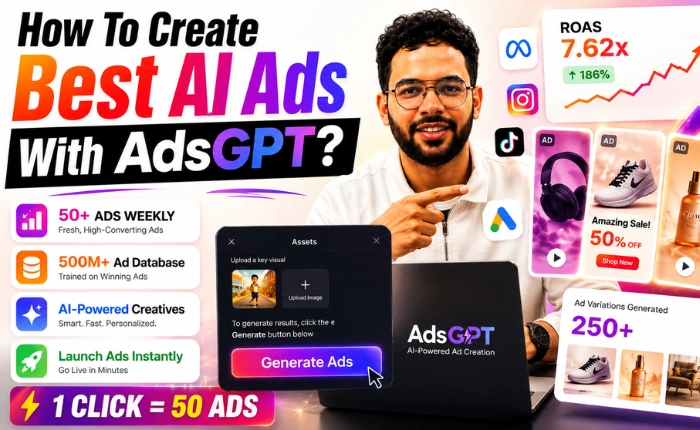
Picture this. You just launched a live Meta ad campaign in 5 minutes. No agency. No Photoshop. No Ads Manager. Just a URL, and AI did the rest.
Sounds impossible? It is not.
In 2026, the average person scrolls through 300 feet of content every single day. That is the height of the Statue of Liberty. If your ad does not stop their thumb in the first 1.5 seconds, you lose the click, the sale, and your budget. This is exactly why ai ads are no longer a luxury, they are a survival tool for every marketer.
Today, we will show you exactly how to use AdsGPT to go from a blank screen to a live, converting campaign, without ever opening Photoshop or Ads Manager.
Why Traditional Ad Creation Is Broken
Before AI, launching a single ad batch was a slow, expensive grind. You needed a designer at $100 an hour, a copywriter charging $500 per project, and a media buyer to wire it all together. By the time the ads went live, the trend had already passed.
Here is what most brands struggle with today:
- Creative fatigue kills performance within 7 to 10 days.
- Hiring talent for every variation drains budgets fast.
- Manual A/B testing across platforms is painfully slow.
- Brand consistency breaks when too many hands touch the design.
This is the gap that ai generated ads are filling, and AdsGPT is leading that shift.
What Makes AdsGPT Different
AdsGPT is not just another generic AI writer. It is a full-stack ai ads generator engineered specifically for digital advertising. It has been trained on a database of 500 million high-performing ads, so it actually understands what converts.
It knows the difference between a SaaS ad in Silicon Valley and a chocolate brand ad in Switzerland. It respects character limits for Google Search, the psychology of LinkedIn audiences, and the visual hooks that win on Meta and TikTok.
Three pillars power the platform:
- Speed: Creative turnaround drops from 14 days to 60 seconds.
- Brand Memory: Your ai powered ads always look like your brand, not a generic AI hallucination.
- Data Intelligence: Every visual is shaped by what is currently trending in the Ad Popularity Index.
Now let us walk through the exact six-step process to launch your first live campaign with AdsGPT.
Step 1: Set Up Your Campaign Foundation
How To Create Best AI Ads With AdsGPT?Everything starts inside the Ad Factory, which is your central command center for launching ai ads.
Here is what to do:
- Log in to AdsGPT.io and navigate to the Ad Factory tab from the left sidebar.
- Click the “New Campaign” button at the top right of your dashboard.
- Enter your campaign name in the first field. For this walkthrough, we are using “Begin Your Fitness Journey Today.”
- Paste your website URL in the next field. We are using calorietrackerbuddy.com as our example.
- Hit “Analyze” and let the AI scan your website.
In about 10 seconds, AdsGPT pulls your product details, identifies your target audience, extracts your brand colors, and understands your core value proposition. You have not written a single word of brief, and the AI already knows your business.
Step 2: Define Your Brand DNA Inside BrandIQ
This is the step that separates winning ai ads from generic AI slop. BrandIQ is where you teach the AI your brand personality.
Walk through these fields carefully:
- Brand Name and Description: Confirm or edit the auto-filled details. For Calorie Tracker Buddy, we describe it as “an emotional companion for healthy living, not just a calorie counter.”
- Brand Voice: Choose from preset tones like Friendly, Witty, Professional, or Bold. We picked Friendly and Supportive for our fitness app.
- Target Audience: Specify demographics, interests, and pain points. We added “students, ages 18 to 28, struggling with consistency in fitness routines.”
- Do’s and Don’ts: This is the secret weapon. Add rules like “focus on building healthy habits” and “avoid unrealistic weight loss claims or before-after imagery.”
- Campaign Objective: Choose from a dropdown that includes Drive App Downloads, Sales Increase, Lead Generation, or Brand Awareness. We selected Drive App Downloads.
- Promotional Hook: Drop in your offer. We added “30% off for Students.”
- Logo Upload: Upload your official brand logo in PNG format. Smart Brand Memory will auto-place this on every single creative going forward.
[Screenshot: BrandIQ configuration panel with tone and do’s-don’ts fields]
Spend five extra minutes here, and you will save 50 hours of editing later. This is the brain of your entire ad operation.
Step 3: Upload Assets And Choose Platforms
You do not need a professional photoshoot to make scroll-stopping ai generated ads. AdsGPT works with whatever you have.
Here are your three asset options:
- Upload your own images: Drag and drop product shots, lifestyle photos, or even rough phone images.
- Analyze a reference URL: Paste a competitor ad or inspiration link and let the AI extract the visual style.
- Let AdsGPT generate from scratch: Skip uploads entirely and let the AI create everything based on your BrandIQ inputs.
Next, select your platforms and ratios:
- Toggle on Meta for Facebook and Instagram placements.
- Toggle on Google for Display and Discovery network reach.
- Select the 1:1 square aspect ratio for feed placements.
- Select the 9:16 vertical aspect ratio for Stories and Reels.
- Optionally select 1.91:1 landscape for Google Display.
[Screenshot: Platform selection with aspect ratio toggles]
Hit “Generate Ads.” In under 60 seconds, AdsGPT produces 10 image variations and 10 copy variations, fully branded, fully formatted, and ready for review.
Step 4: Connect Your Meta Ads Account
This is where AdsGPT separates itself from every other ai ads generator on the market. Most tools dump a folder of files on you and disappear. AdsGPT pushes the launch button for you.
Here is the connection flow:
- From the campaign results screen, click “Post Ad” on your chosen creative.
- A popup appears asking you to connect your Meta Ads account.
- Click “Connect with Facebook” and log in through the secure OAuth window.
- Grant the required permissions for Ads Manager access.
- Confirm the connection and return to AdsGPT.
This is a one-time setup. Every future campaign launches with a single click. You will never manually upload to Ads Manager again.
[Screenshot: Meta account connection screen]
Why Smart Marketers Are Switching To AdsGPT
Let us pause for a moment, because this matters.
If you are serious about scaling without burning budget, AdsGPT is the platform built for you. Over 10,000 marketers, agencies, and ecommerce founders already use it to launch ai ads that actually convert. You get a 500 million ad database working in your favor, brand memory that keeps every creative on-point, and direct integrations that remove every manual step from your workflow.
Whether you are a solo founder testing your first campaign or an agency managing 50 clients, AdsGPT scales with you. The Free Plan lets you test the waters with no credit card. The Scale Plan unlocks over 6,000 ad credits and thousands of video seconds for serious operators.
Stop paying for tools that only do half the job. AdsGPT handles design, copy, video, and launch in one single place.
Step 5: Review, Preview, And Configure Your Launch
The AI has finished generating. Now it is your turn to play creative director.
Walk through the review screen step by step:
- Browse the creative gallery: Scroll through all 10 generated visuals. Look for the ones with the strongest hook, cleanest layout, and best alignment with your offer.
- Check copy variations: Each visual comes with multiple headline and primary text options. Tap to swap copy on the fly.
- Edit on the spot: Click any element, the logo, headline, or background, and adjust it directly in the built-in editor. Move elements, change fonts, or shift the color palette without leaving the page.
- Select your Ad Account: Pick from the connected Meta Ad Accounts dropdown.
- Choose your Facebook Page: Select the brand page you want the ad to post from.
- Pick your Campaign or Ad Set: Attach the creative to an existing campaign or create a new ad set right inside AdsGPT.
- Preview on mobile: Use the live phone preview to see exactly how the ad will appear in a real Instagram or Facebook feed.
[Screenshot: Ad preview screen showing mobile feed view and ad account selectors]
This is your final quality check before the campaign goes live.
Step 6: Launch And Watch The Magic Happen
Time for the final click.
- Hit the “Launch Campaign” button at the bottom of the screen.
- Wait 5 to 10 seconds while AdsGPT pushes the creative, headline, primary text, and CTA directly into Meta.
- Receive the confirmation popup with your campaign ID and live status.
- Open Instagram or Facebook on your phone and search for your brand handle.
- Watch your ad appear live in the feed.
[Screenshot: Launch confirmation screen and live Instagram ad preview]
That is it. Native, professional, and already converting.
How To Create Video Ads With AI Using AdsGPT
Static ads are powerful, but video is dominating every feed in 2026. If you have ever wondered how to create video ads with ai without hiring a production crew, AdsGPT solves it inside its Video Generation Studio.
Here is the step-by-step flow:
- Navigate to the Ad Video (BETA) tab inside Ad Studio.
- Type a cinematic prompt describing your scene, lighting, and mood.
- Pick your AI model from the dropdown, we recommend Sora 2 for the most realistic motion.
- Set your aspect ratio to 9:16 for Reels and TikTok placements.
- Choose a 12-second duration, the sweet spot for social attention.
- Select “UGC Ad” as the Video Type for an authentic, creator-style feel.
- Pick “Modern” as your style preference for clean, premium visuals.
- Hit Generate and wait two to three minutes.
You get a 4K, agency-quality video ready to download or push live. No camera, no studio, no editor. Just a prompt and a finished asset.
This is why ai generated ads in video format are exploding right now, they remove every bottleneck that slowed marketers down for years.
Final Thoughts: The Future Of Advertising Is Already Here
The brands winning in 2026 are not the ones with the biggest budgets. They are the ones moving the fastest. Ai ads have flipped the entire creative process upside down, and tools like AdsGPT are the reason solo founders are now outperforming full agencies.
You no longer need designers, copywriters, or media buyers to launch a high-converting campaign. You need a URL, a clear brand voice, and the right ai ads generator.
So here is your move. Go to AdsGPT.io, start your free trial, scan your website, and launch your first campaign in the next 60 seconds.
The future of advertising is here, and it runs on ai powered ads.
MOST POPULAR