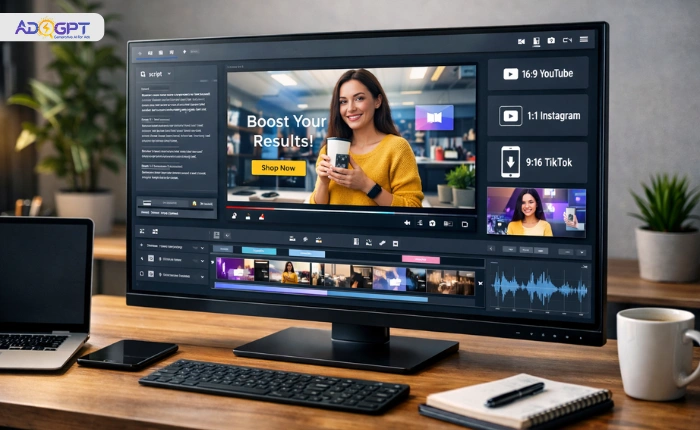
The best video ad maker for your workflow is not necessarily the most popular or the cheapest. It is the one built around how advertising actually works.
Most platforms in this category are general video tools with an ad label attached. They look capable in demos and fall short in live campaigns. The gap between content creation and ad creation is real, and the tool you choose either bridges it or widens it.
If you are a marketer, business owner, or content creator building paid campaigns, this guide gives you a clear, practical framework for making the right call.
Listen to the Podcast!
What Is a Video Ad Maker?
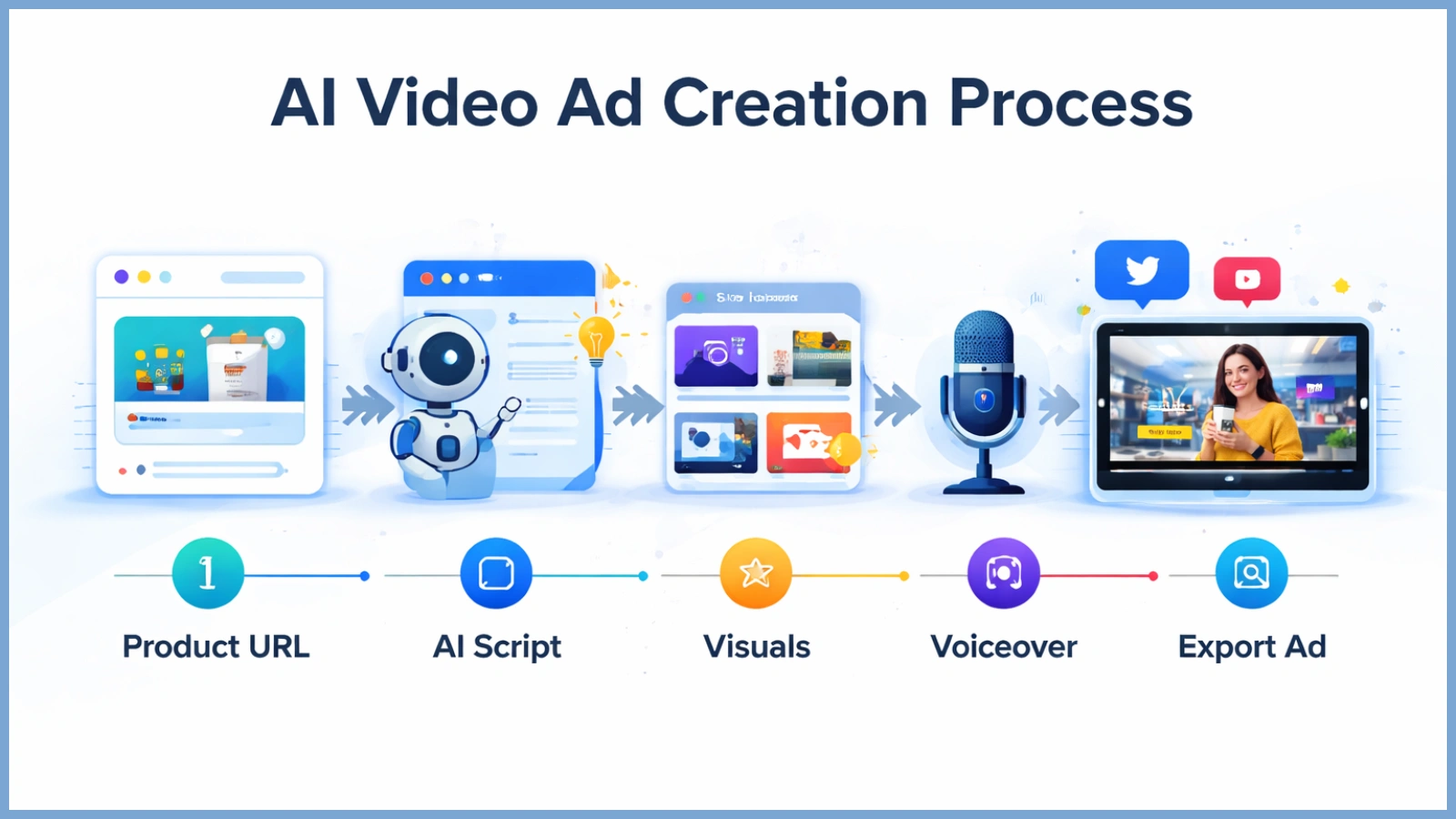
A video ad maker is a platform that lets you create video advertisements without a production team or advanced editing experience. You bring the product. The tool handles the assembly.
That makes it a very different category from general-purpose editors like Premiere Pro or Final Cut. Those tools are built for editors who want frame-level creative control. A purpose-built ad video maker is designed around one goal: getting an ad from brief to upload-ready, fast.
Who uses these platforms? E-commerce brands, DTC companies, agencies, SaaS businesses, and solo content creators. They all need a video that performs, not just a video that looks polished.
The rise of AI video ad maker technology has pushed this further. Modern platforms now generate scripts, visuals, and voiceovers automatically, cutting production time from days to minutes.
The 7 Features That Define a High-Quality Video Ad Maker
Not every tool in this category is built for advertising. Many are general video tools with an ad templates section added as an afterthought. The features below separate platforms that produce results from those that just produce output.
Feature 1: AI-Powered Creative Generation
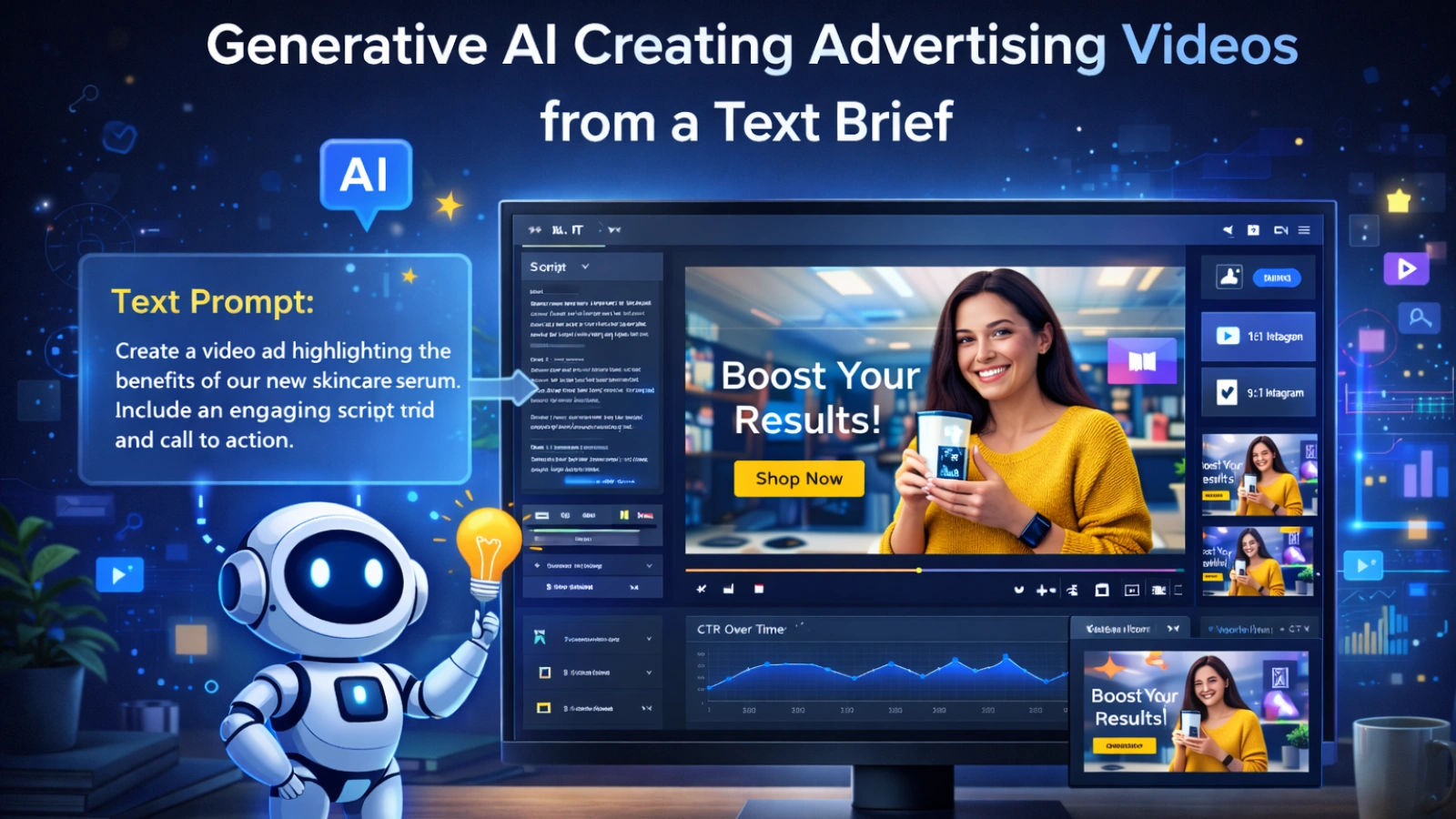
An AI video ad maker does not just give you a blank canvas. It generates a complete ad from a product URL, a text brief, or a short prompt. Script, visuals, structure, and voiceover, all handled automatically.
The creative bottleneck is where most campaigns stall. AI generation collapses that gap fast. When evaluating this feature, feed in your own product rather than using their demo content. Check whether meaningful customization is possible after generation. The best results come from AI paired with smart human direction.
Feature 2: Platform-Native Format Support
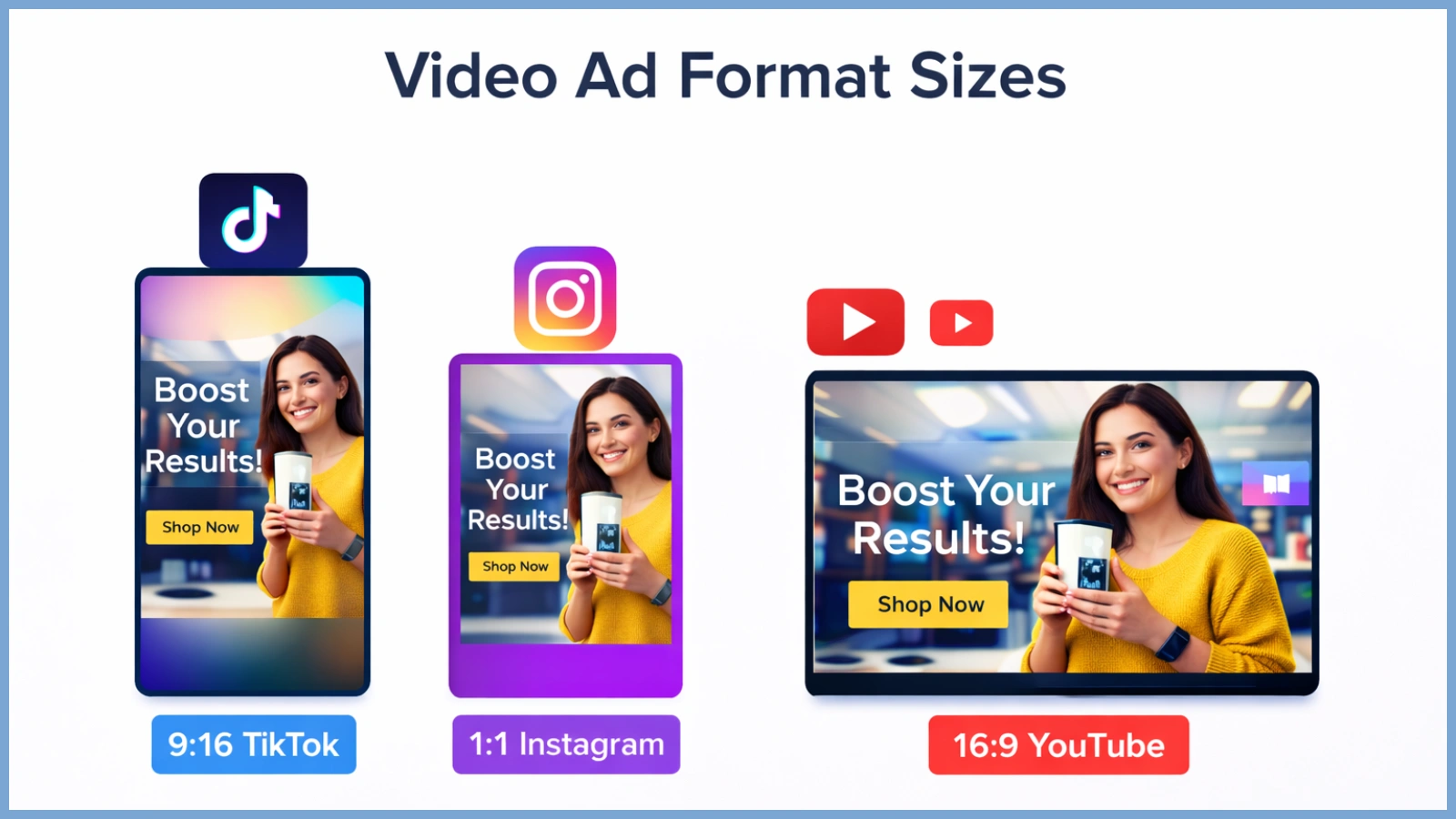
Meta, TikTok, YouTube, and Google Display all have different dimension requirements. Wrong aspect ratios get cropped or penalized in delivery. Text placement that works in one format gets cut off in another.
A properly built video ad maker handles this natively. One-click format adaptation, safe zone previews, and spec-compliant exports should all be standard. If you run ads across multiple platforms, this feature alone saves hours every single week.
- Facebook & Instagram: 1:1 (1080×1080px), 4:5 (1080×1350px), 9:16 (1080×1920px), 16:9 (1920×1080px)
- TikTok: 9:16 (1080×1920px), 1:1 (1080×1080px), 16:9 (1920×1080px)
- YouTube: 16:9 (1920×1080px), 9:16 (1080×1920px), 1:1 (1080×1080px)
- Google Display: 16:9 (1200×628px), 3:4 (300×250px), 9:16 (160×600px), 1:1 (1200×1200px)
Wrong aspect ratios get cropped or penalized in delivery. Text placement that works inside Meta’s 4:5 safe zone gets cut off entirely when the same asset runs as a TikTok 9:16 or a Google Display skyscraper (160×600px). A properly built video ad maker handles this natively. One-click format adaptation across all specs, safe zone previews per placement, and dimension-compliant exports should all be standard. If you run ads across multiple platforms, this feature alone saves hours every single week.
Feature 3: Performance-Optimized Templates
Most people evaluate templates visually. That is the wrong approach entirely. Templates that drive results are built around a proven structure: strong hook, problem established, solution presented, CTA delivered before the viewer leaves.
Look for templates organized by objective, such as awareness or conversion, and by platform. A TikTok conversion template should feel structurally different from a YouTube awareness template. If the library looks like general social content dressed up as ads, that is a clear signal.
Feature 4: Script and Hook Creation Tools
The script is the highest-leverage element of any video ad. The visual makes people stop. The script keeps them from leaving and prompts them to take action.
Most ad video maker platforms treat copy as an afterthought. They leave a text field for you to fill in yourself. A tool built for advertising should have script generation, hook creation, and CTA writing built directly into the workflow. The message and creative should be built together, because they are the same ad.
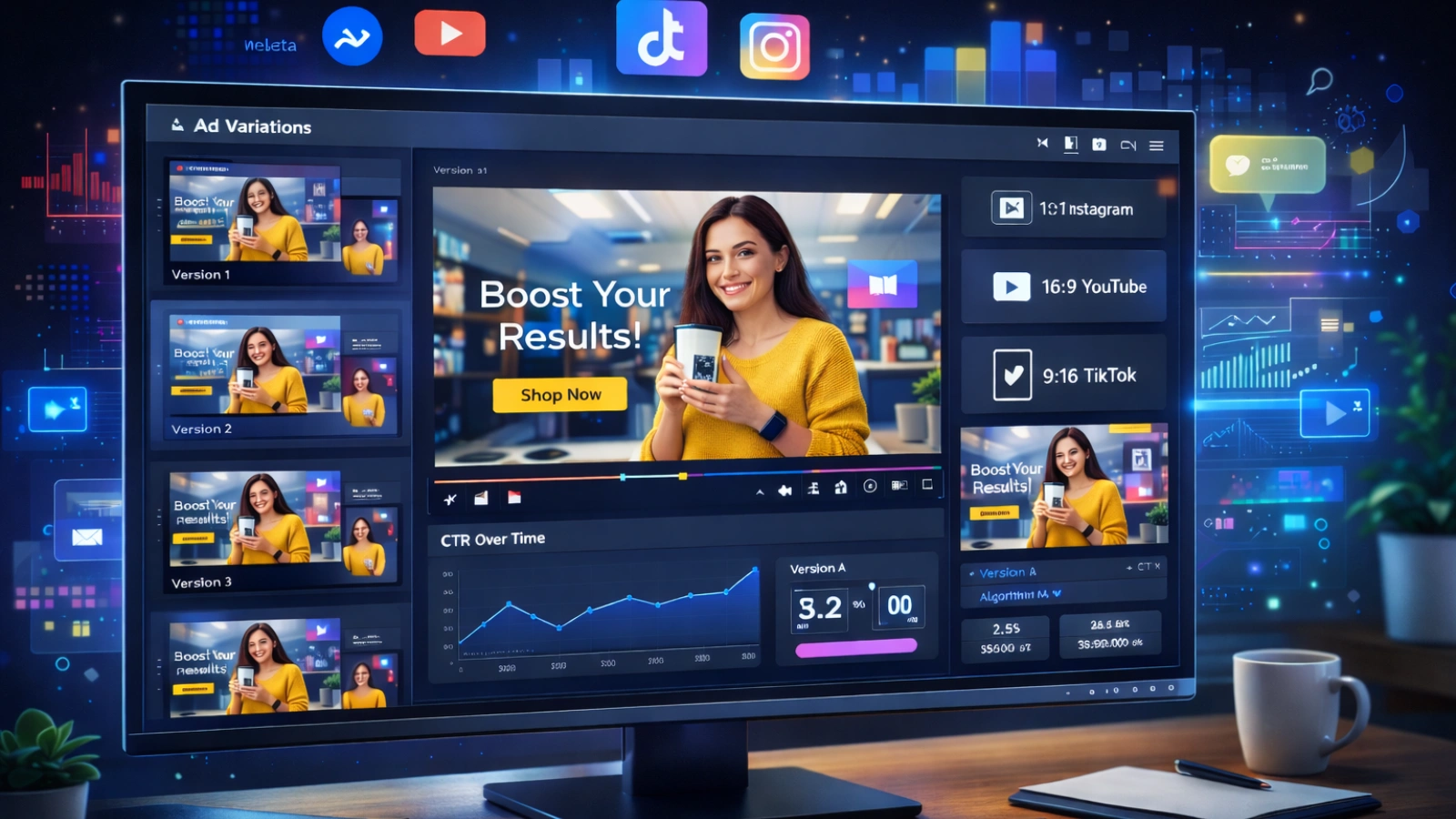
Feature 5: Creative Variation and A/B Testing Support
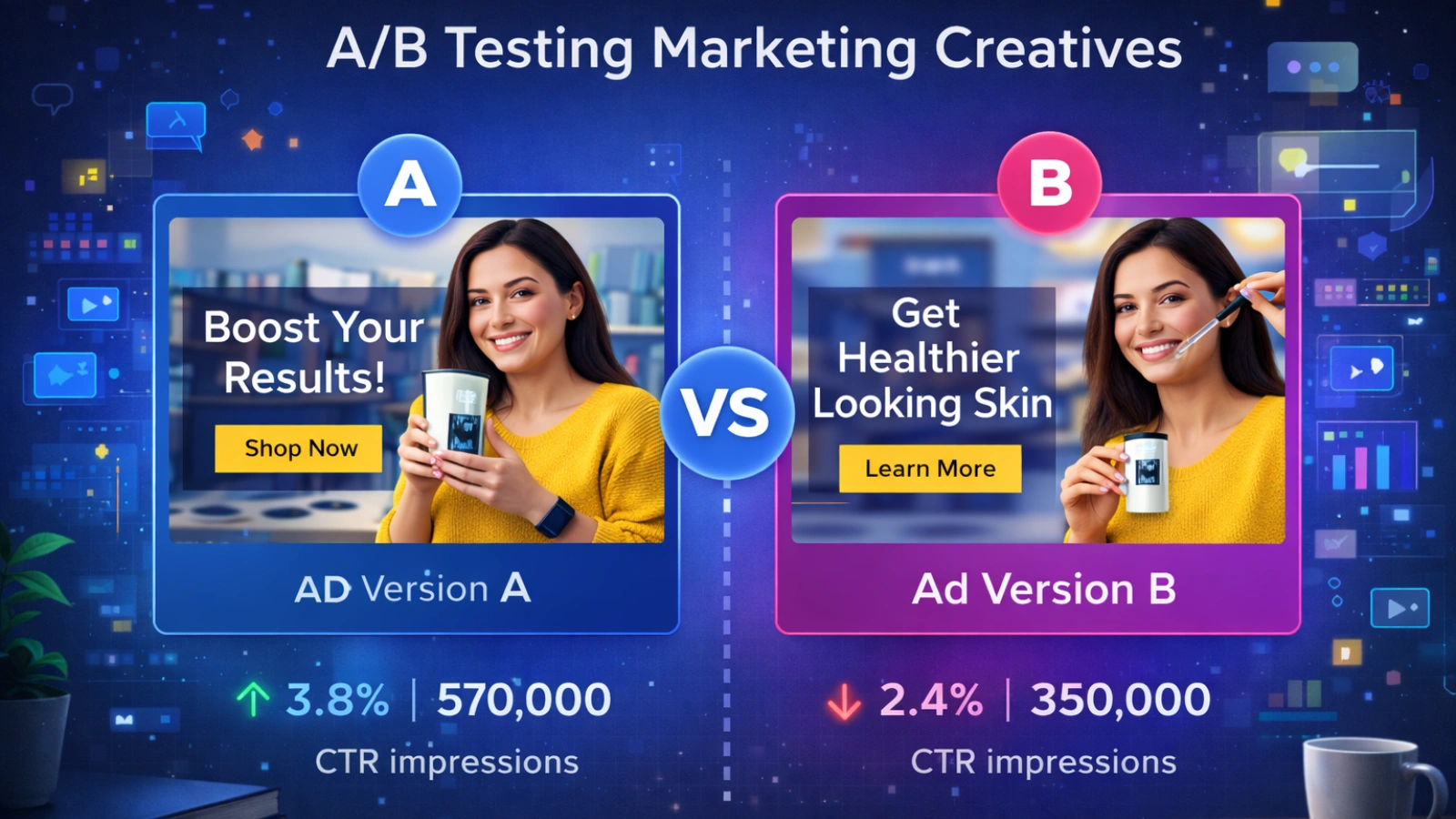
Creative fatigue is one of the most common causes of campaign performance decay. An audience that has seen the same ad repeatedly stops engaging entirely. ROAS drops without any obvious explanation.
The solution is running different creative variants within the same campaign. Same product, same audience, different hook, different visual, different CTA. Any serious video ad maker should support generating multiple variants from a single brief without rebuilding from scratch.
Feature 6: Brand Customization and Consistency Controls
Audiences build recognition through repeated exposure. Consistent visual identity, tone, and color palette all compound over time. When ads look like they came from different brands, that recognition never develops.
Brand kit integration solves this at the tool level. Upload your colors, fonts, and logo once. The platform applies them automatically across every output. Look for persistent brand settings that carry across new projects, not just one-time customization within a single session.
Feature 7: Export Quality, Watermark Policy, and Free Plan Transparency
This is where many platforms quietly disappoint. The free tier looks functional during signup. Then you go to export, and the video is watermarked, low resolution, or capped at two downloads per month.
When evaluating a free AI video ad maker, ask one honest question: Is this output usable in a real campaign? If the answer is no because of watermarks or resolution limits, what you have is a trial experience, not a real free tier. Useful free plans include HD exports, watermark-free output, and enough feature access to evaluate the tool properly.
How to Evaluate a Video Ad Maker Before You Commit
Step 1: Define your use case first. E-commerce product ads, SaaS promos, and agency workflows all have different requirements. Knowing your use case narrows the field quickly and saves time.
Step 2: Test with your actual product or brief. Skip the demo content entirely. Input your real product URL and assess what the tool produces against your actual campaign needs.
Step 3: Verify format support for your active channels. Confirm the tool outputs correctly for every platform you buy traffic on. Do not rely on what their marketing materials highlight.
Step 4: Evaluate the script workflow end-to-end. Try building a complete ad from hook to CTA without opening another tool. Friction in the copy workflow adds up to significant wasted time.
Step 5: Complete one full ad on the free tier before upgrading. Take it all the way through to export. If the output is not campaign-ready at that stage, know that before committing to a paid plan.
Common Mistakes When Choosing a Video Ad Maker
Prioritizing aesthetics over structure. Visual polish does not convert on its own. If the template does not guide the viewer from hook to CTA logically, the design is irrelevant to performance. Evaluate structure first, look second.
Assuming all AI tools produce equivalent quality. They do not. The gap between platforms is wider than most reviews admit. The question of who makes the best AI-generated ad videos has a real answer. It is not the platform with the most templates. Output quality depends on the model, brief interpretation, and post-generation control.
Ignoring creative variation from the start. Most advertisers launch one ad and tweak targeting when performance drops. The issue is usually the creative. Launching three to five variants per campaign from the beginning prevents the early performance drop that single-creative campaigns almost always hit.
Treating free plans as production tools. Free tiers are designed for evaluation, not volume production. Using them for live campaigns introduces watermark risks and export caps at exactly the worst moment.
Why AdsGPT Is Designed for Marketers Who Need Results, Not Just Videos
Most video creation tools are built for general content output. AdsGPT is built specifically for paid advertising. Every feature is oriented around what makes an ad perform, not just what makes a video look finished.
Here is how AdsGPT maps to the seven features covered in this guide:
- AI-Powered Ad Generation: Generates complete video ads from a product URL, text brief, or prompt. Scripts, visuals, voiceovers, and ad structure are all produced automatically without manual editing.
- Platform-Native Format Output: Ads are formatted and exported for Meta, TikTok, YouTube, and other major channels with correct specs and ratios, ready to upload immediately.
- Performance-Oriented Templates: The template library follows hook-to-CTA structures rather than purely aesthetic patterns, giving every output a conversion-focused foundation from the start.
- Integrated Script and Hook Creation: Ad copy, hooks, and CTAs are generated within the platform. The creative and message are built together as one unified workflow.
- Creative Variation at Scale: Multiple ad variants can be generated from a single brief, supporting the A/B testing process that protects ROAS as campaigns grow.
Also Read!
How Can I Improve My Ad Creatives? – AdsGPT
How To Master AI Video Ads For Better Marketing?
The Right Tool Makes Every Campaign Stronger
There is a real difference between a tool that makes videos and a tool that makes ads. That gap shows up in click-through rates, ROAS, and how fast creative fatigue sets in. The seven features in this guide are what close it.
Evaluate tools against this framework rather than pricing pages or template counts. Start with your use case. Test with your real brief. Weight script and variation capability above visual polish.
AdsGPT is built around exactly this framework. If high-converting video ads are the goal, it is worth seeing what the platform produces with your own brief.
Frequently Asked Questions
What is a video ad maker used for?
A video ad maker is used to create short-form video advertisements for paid channels, including Meta, TikTok, YouTube, and Instagram. It helps marketers produce campaign-ready ads without a production team or advanced editing skills.
What features should I look for in a video ad maker?
The seven most important features are AI creative generation, platform-native format support, performance-oriented templates, integrated script tools, creative variation capability, brand customization controls, and transparent export quality. Prioritize based on your use case and active channels.
Is there a good AI video ad maker that’s free to use?
Several platforms offer free tiers with meaningful access. When evaluating any free AI video ad maker, check whether exports are watermark-free, what resolution is available, and how many videos can be created monthly. Always test the full export before committing.
Who makes the best AI-generated ad videos?
Output quality depends on the input brief, product type, and creative direction applied. The best results come from platforms combining strong generative AI with performance-focused structures. Testing with your actual brief is the only reliable way to evaluate.
How long should a video ad be?
TikTok and Instagram Reels ads perform best at 9 to 15 seconds. YouTube pre-roll should front-load the hook within the first five seconds. Meta feed ads typically perform well at 15 to 30 seconds. For conversion-focused campaigns, shorter is almost always better.
Can a video ad maker replace a professional production team?
For most digital advertising, including social media ads and ecommerce promotions, a modern AI-powered platform can replace traditional production at a lower cost and faster turnaround. Complex brand films or broadcast productions still benefit from dedicated teams.
MOST POPULAR