

A marketing analytics dashboard should make performance clear, but too often, you’re stuck jumping between tools, spreadsheets, and outdated reports just to answer a simple question.
That’s not a data problem. It’s a clarity problem.
With data scattered across platforms, it is hard to see what is actually working. A marketing analytics dashboard fixes that by bringing everything into one place, so you can track performance and make decisions faster.
This guide shows you how to build a marketing analytics dashboard, what to include, and how to avoid common mistakes.
Read Aloud
What Is a Marketing Analytics Dashboard and Why Do You Need One?
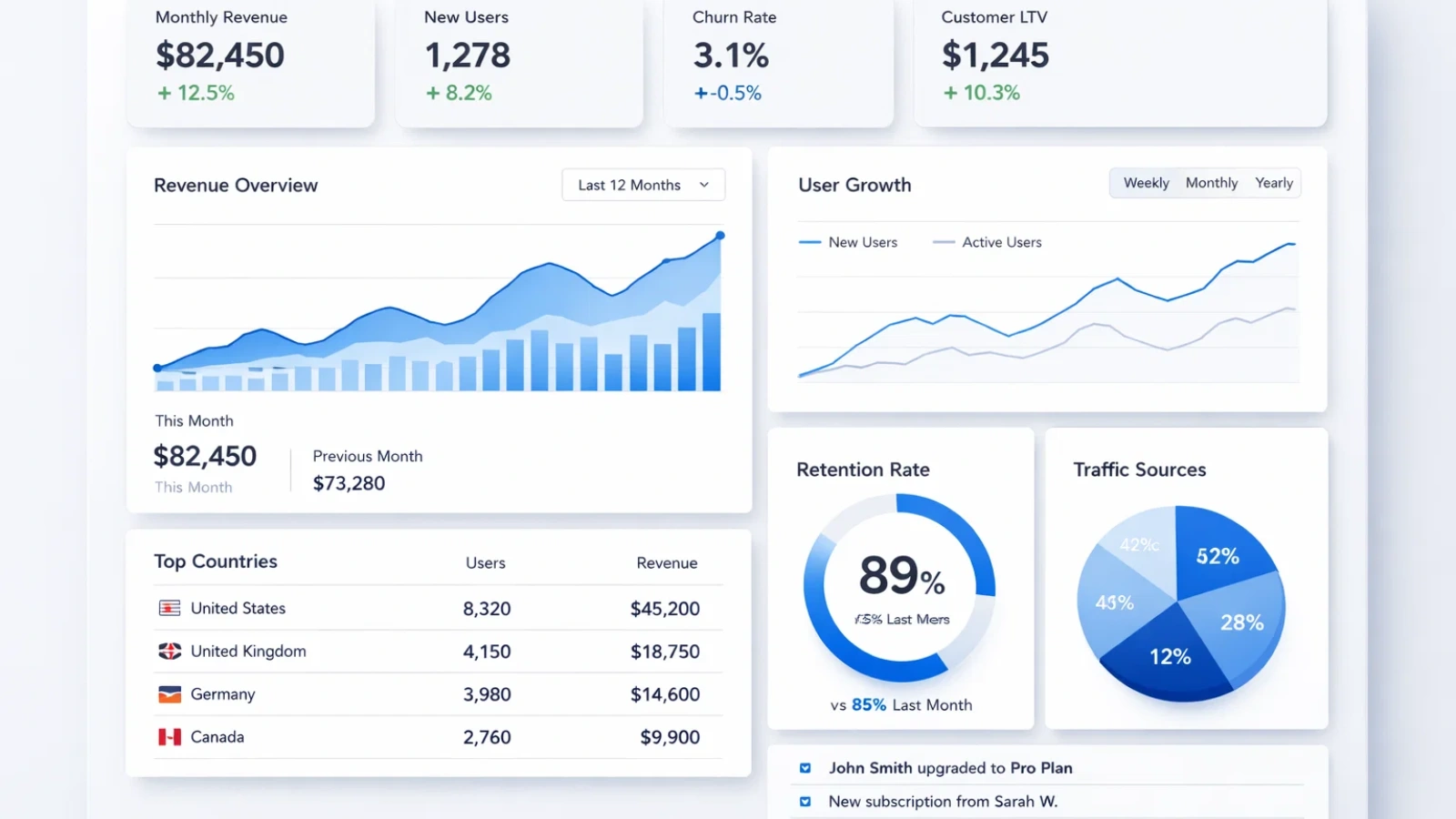
A marketing analytics dashboard is a centralized view that combines your key marketing data into one visual interface, updating automatically so you don’t have to manually pull reports.
But the real benefit isn’t just visualization; it’s speed and clarity.
With an analytics dashboard, you stop wasting time gathering numbers and start focusing on decisions. The best dashboards aren’t just collections of charts. They’re built to answer specific questions quickly, depending on who’s using them.
How To Set Up a Marketing Analytics Dashboard in 5 Easy Steps

A marketing analytics dashboard brings all your key marketing data into one place, making performance easier to understand.
Step 1: Start With a Clear Goal
Before adding metrics, decide what you’re trying to measure.
Is the focus on leads, revenue, pipeline growth, or acquisition cost? That answer shapes everything else. Without it, the dashboard quickly turns into a mix of numbers with no real direction.
For example:
- Lead generation → CPL, conversion rate
- E-commerce → ROAS, average order value
- SaaS → CAC, trial-to-paid rate
A clear goal keeps the dashboard focused and useful.
Step 2: Choose Metrics That Reflect the Funnel
Instead of organizing data by platform, structure it around how customers move through your funnel.
- Awareness → impressions, reach, CTR.
- Engagement → sessions, time on page
- Conversion → leads, conversion rate
- Revenue → CAC, ROAS, LTV
This approach makes it easier to see where performance is strong and where it drops off.
Step 3: Consolidate Your Data Sources
A dashboard only works if the data is connected and consistent.
Pull data from your core tools, ad platforms, web analytics, CRM, and email into one place. At the same time, standardize naming and attribution so the numbers align.
If the underlying data doesn’t match, the dashboard loses credibility quickly.
Step 4: Design for Quick Understanding
The layout should make it easy to scan and interpret in seconds.
- Top → key performance indicators
- Middle → trends over time
- Bottom → detailed breakdowns
Avoid adding charts just because they’re available. Each element should serve a purpose.
Step 5: Make It Part of Your Routine
Even a well-built dashboard won’t help if no one uses it.
Build it into your workflow:
- Daily checks for active campaigns
- Weekly reviews for optimization
- Monthly reviews for strategy
As priorities shift, update the dashboard so it continues to reflect what matters.
What Should a Marketing Analytics Dashboard Include?
A marketing analytics dashboard should include a focused set of metrics that clearly connect marketing performance to real business outcomes. At the center, it should highlight a primary metric such as revenue, CAC, or ROAS to keep everything aligned with your main goal.
It should also show channel-level performance so you can understand which platforms are driving results and where to invest more or pull back. Alongside this, funnel conversion insights are important to track how users move from awareness to conversion and identify where drop-offs happen.
To ensure efficiency, the dashboard must include cost metrics like CPL, CAC, and ROAS, helping you evaluate whether your marketing spend is sustainable. Finally, trends and benchmarks provide context by showing how performance changes over time and how it compares to targets, making the data easier to interpret and act on.
Marketing Analytics Dashboard Examples by Use Case
Looking at real marketing analytics dashboard examples helps you understand what actually belongs on your screen. The right setup depends less on the tool you use and more on what decisions you need to make.
Executive Dashboard
This is built for founders, CMOs, or leadership teams who want a quick snapshot of business impact.
The focus here is on high-level metrics like revenue, CAC, ROI, and pipeline contribution. The layout should stay simple, just a handful of key numbers and maybe one or two trend lines.
The goal isn’t deep analysis. It’s to answer one question quickly: Are we on track?
Campaign Performance Dashboard
This is where day-to-day optimization occurs.
It includes metrics like spend, CTR, conversion rate, CPL, and ROAS, broken down by campaign, channel, or audience. Filters are important here, so teams can quickly drill into what’s working and what isn’t.
This type of dashboard is used actively, often daily, to decide where to increase budget, pause campaigns, or test new ideas.
Content and SEO Dashboard
Content teams need a different view of performance.
Instead of focusing on spend, this dashboard tracks traffic, engagement, keyword rankings, and conversions driven by content. It helps connect content efforts to actual business outcomes, not just page views.
Over time, it also highlights which topics, formats, or channels are generating the most value.
Full-Funnel Dashboard
This is the most comprehensive setup.
It connects the entire journey from awareness metrics like impressions and clicks to conversions and revenue. When built well, it gives a complete picture of how marketing contributes to growth.
However, it’s also the easiest to overcomplicate. The key is to keep it structured and avoid turning it into a cluttered mix of unrelated metrics.
Each type of marketing analytics dashboard serves a specific purpose. The right choice depends on your role and what decisions you need to make regularly.
How AI Is Changing Marketing Analytics Dashboards
Many AI marketing analytics dashboard platforms now offer features that go beyond basic tracking.
They can:
- Detect unusual changes in performance.
- Highlight patterns across large datasets.
- Provide quick answers using natural language queries.
These features can save time, especially when managing multiple channels.
That said, AI works best when your data is already clean and consistent. If your tracking or attribution is unclear, AI will simply amplify those issues rather than fix them.
Also Read:
How To Use An AI Advertisement Generator To Boost ROI?
What is Marketing Data Analytics and Why is it Important?
How AdsGPT Enhances Your Marketing Analytics Dashboard

AdsGPT integrates with your dashboard by turning scattered ad data into something structured, comparable, and easier to act on.
- Unified multi-platform data from Facebook, Google Ads, YouTube, and Instagram, so you don’t have to switch tools or reconcile metrics manually
- Market trend insights that give context to your performance, helping you understand whether your results are strong or need improvement
- Ad Popularity Index to quickly identify which creatives are generating the most engagement and why
- Single ad analytics view that brings all key metrics into one place for faster, more focused optimization
- Performance comparison across campaigns or creators to highlight top performers and repeat what works
- CTA insights to show which calls to action are actually driving clicks and conversions
- Geographic breakdown to understand regional performance and refine targeting for better results
Overall, AdsGPT makes your dashboard more reliable and actionable by reducing manual work and adding clarity where it matters most.
Common Mistakes to Avoid

Most dashboards don’t fail because of the tools; they fail because of how they’re set up.
Some common issues include:
- Tracking metrics that don’t lead to decisions
- Trying to serve multiple audiences with one dashboard
- Adding too many charts without a clear purpose
- Comparing data that uses different attribution models
- Not setting benchmarks or targets for context.
A strong marketing analytics dashboard stays focused, relevant, and tied to actual business questions.
Final Takeaway
Now you know a marketing analytics dashboard doesn’t need to be complex to be effective, but it does need to be intentional. The real value comes from clarity: knowing what you’re tracking, why it matters, and how it directly supports decision-making. Start with a clear goal, focus on the metrics that actually reflect performance, and structure everything around how your team uses the data.
At the same time, be careful where most dashboards go wrong. Adding too many metrics, mixing inconsistent data sources, or trying to make one dashboard serve every purpose can quickly reduce clarity instead of improving it. Keep refining your dashboard based on real usage, remove what doesn’t add value, and ensure your data stays consistent. When done right, it becomes more than just a reporting tool it becomes a reliable system for making confident, data-driven decisions.
FAQ
What are AI marketing analytics dashboard platforms?
AI marketing analytics dashboard platforms are tools that use artificial intelligence to analyze marketing data, detect patterns, and surface insights automatically. Instead of manually digging through reports, these platforms can highlight trends, identify performance issues, and even answer questions using natural language.
How is marketing dashboard analytics different from regular reporting?
Marketing dashboard analytics focuses on real-time performance and quick decision-making, while traditional reporting looks at past data with more detailed explanations. A dashboard helps you monitor what’s happening now, whereas reports help you understand why it happened.
How to set up a marketing analytics dashboard?
Start with a goal, choose KPIs, connect data sources, design clearly, and integrate it into your workflow.
What is the best way to structure a marketing analytics dashboard?
Focus on one main goal and organize metrics by funnel stages: awareness, engagement, conversion, and revenue, so it’s easy to track performance and make decisions quickly.

MOST POPULAR