

In digital marketing, guessing rarely works. What you think will perform better often doesn’t, and relying on instincts alone can lead to missed opportunities and wasted effort. This is where A/B testing becomes essential.
A/B testing allows you to compare two versions of a page, ad, or email to see what real users respond to. Instead of assumptions, you get clear answers based on data. Whether you’re adjusting a headline, changing a button, or refining your messaging, even small tests can lead to noticeable improvements, especially when you use Google Tag Manager for smarter tracking and ensure every interaction is measured correctly.
The mistake many marketers make is jumping into A/B testing without a plan. They test too much at once, rush to conclusions, or don’t track the right metrics. The result is unclear data and decisions that don’t actually help. This checklist is meant to change that. It breaks A/B testing into simple, practical steps so you can run tests the right way, understand the results, and use them to improve your marketing with confidence.
Listen To The Podcast Now!
Understanding the Basics:
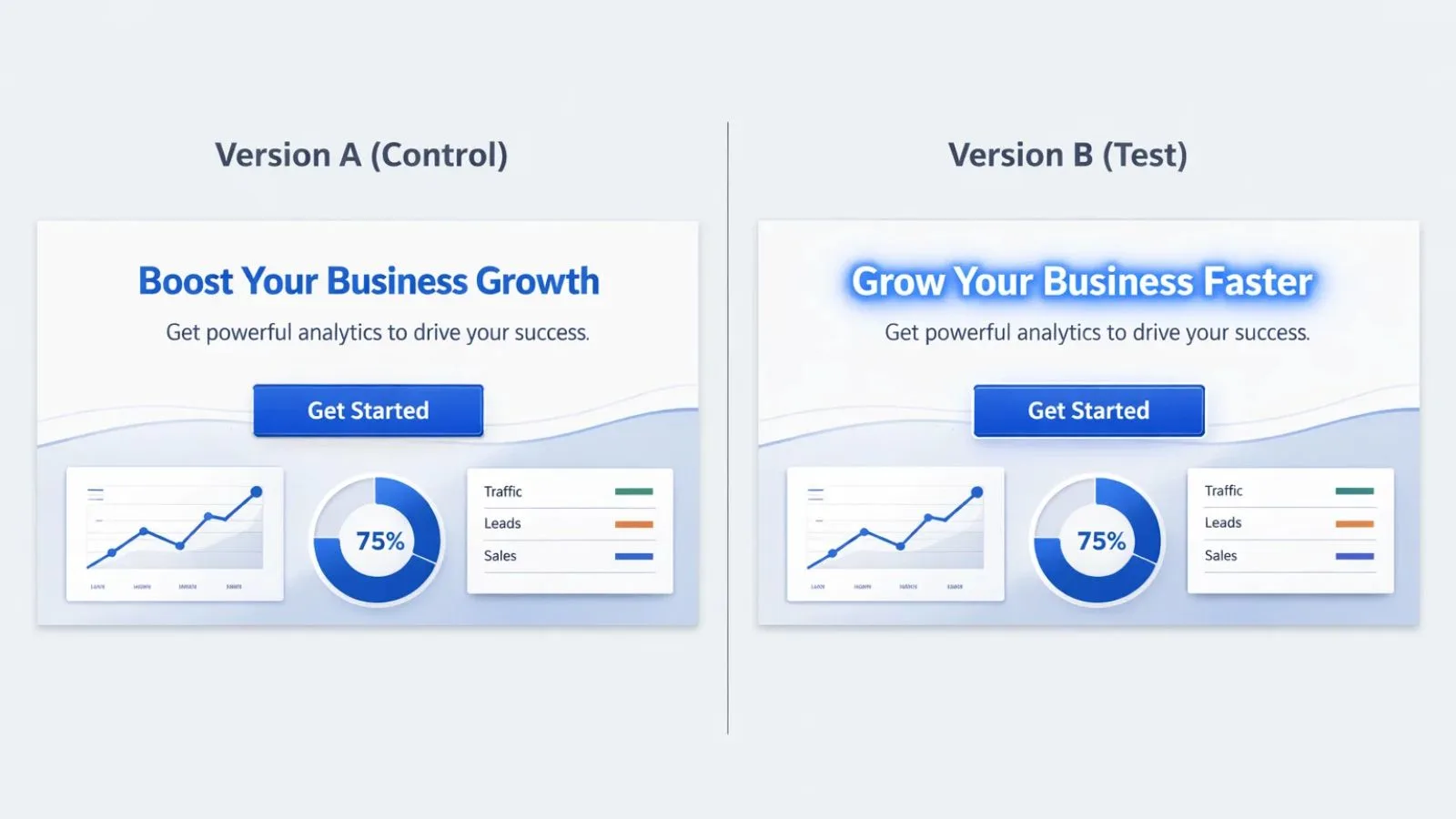
At its core, A/B testing is a simple comparison. You take one existing version of a page, ad, or email and pit it against a slightly modified version to see which one performs better.
Version A is your current setup, the control.
Version B is the same thing, with one deliberate change made to it.
Both versions are shown to similar audiences at the same time. The version that drives more clicks, sign-ups, or conversions wins, based on actual user behavior, not opinions.
The golden rule of a/b testing? Only change one thing at a time. If you change your headline AND your button color AND your images all at once, you’ll have no idea which change actually made the difference. Stick to testing one element like your headline, call-to-action button, hero image, color scheme, page layout, form length, or pricing display.
Before You Start Testing:
1. Get Clear on What You Want:
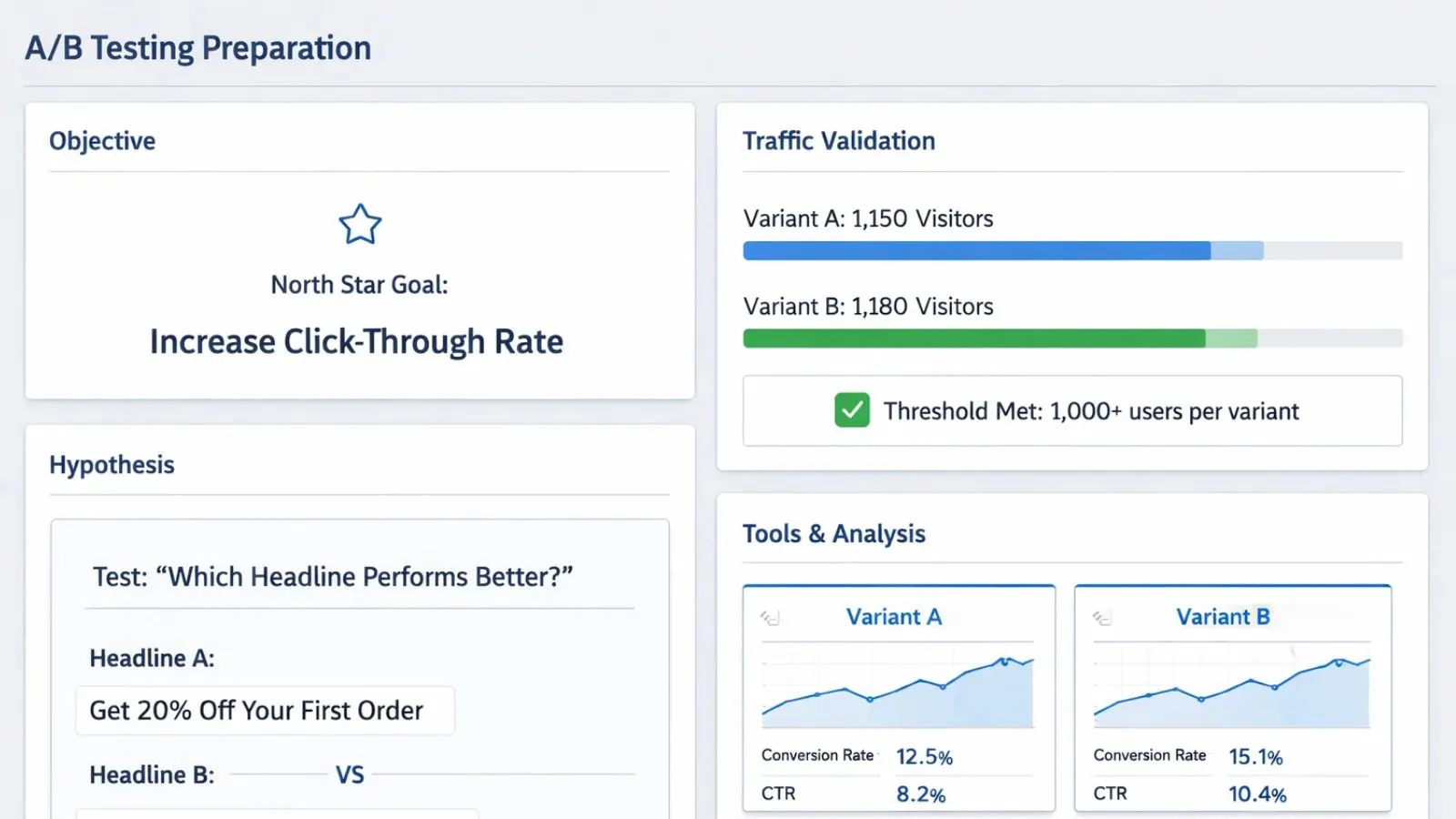
First things first, what are you trying to improve? Maybe you want more people to click your ads, complete purchases, sign up for your newsletter, or spend more time on your site. Whatever it is, write it down. This becomes your north star for the entire test.
2. Make Sure You Have Enough Traffic:
Here’s where a lot of tests go wrong. If you don’t have enough visitors, your results won’t mean much. You typically need at least 1,000 people taking action on each version before you can trust the results. There are free calculators online that’ll tell you exactly how much traffic you need.
3. Write Down Your Hypothesis:
Don’t just wing it. Write something like: “If I change my headline from ‘Buy Now’ to ‘Get Started Today,’ more people will click because it sounds less pushy.” This way, even if your test fails, you learn something valuable.
4. Pick Your Testing Tools:
You need software to run these tests properly. Look for tools that work with your website, give you real-time results, can handle your traffic levels, and show you when results are statistically valid. Google Optimize, Optimizely, and VWO are popular choices that make a/b testing much simpler than doing it manually.
Setting Everything Up:
1. Create Your Test Version:
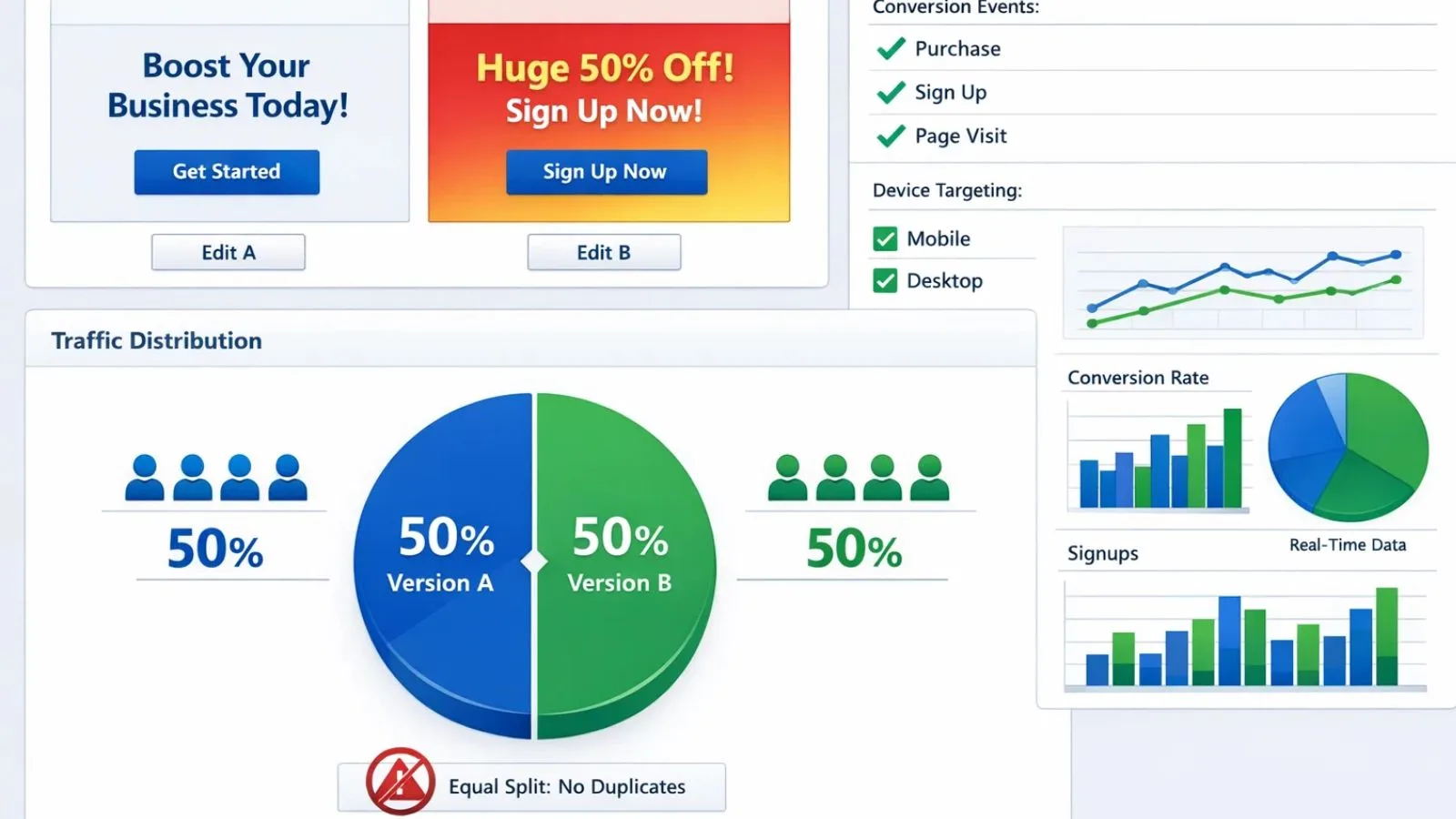
When you make your Version B, make the change meaningful. If you’re testing headlines, try something completely different, not just swapping two words. Keep your brand’s look consistent, but make sure the change is noticeable enough to potentially affect behavior.
2. Set Up Your Tracking:
This is critical. Before you launch anything, make sure you’re tracking the right things. Set up conversion tracking, tag all the important actions people might take, double-check everything works on phones and computers, and verify the data shows up correctly in your analytics.
3. Split Your Traffic Evenly:
Most tools automatically split your visitors 50/50 between versions. Just make sure it’s actually working; you don’t want 80% of people seeing Version A and only 20% seeing Version B. And definitely don’t show the same person in both versions, or they’ll get confused.
Making Sense of Your Results:
1. Wait for Statistical Confidence:
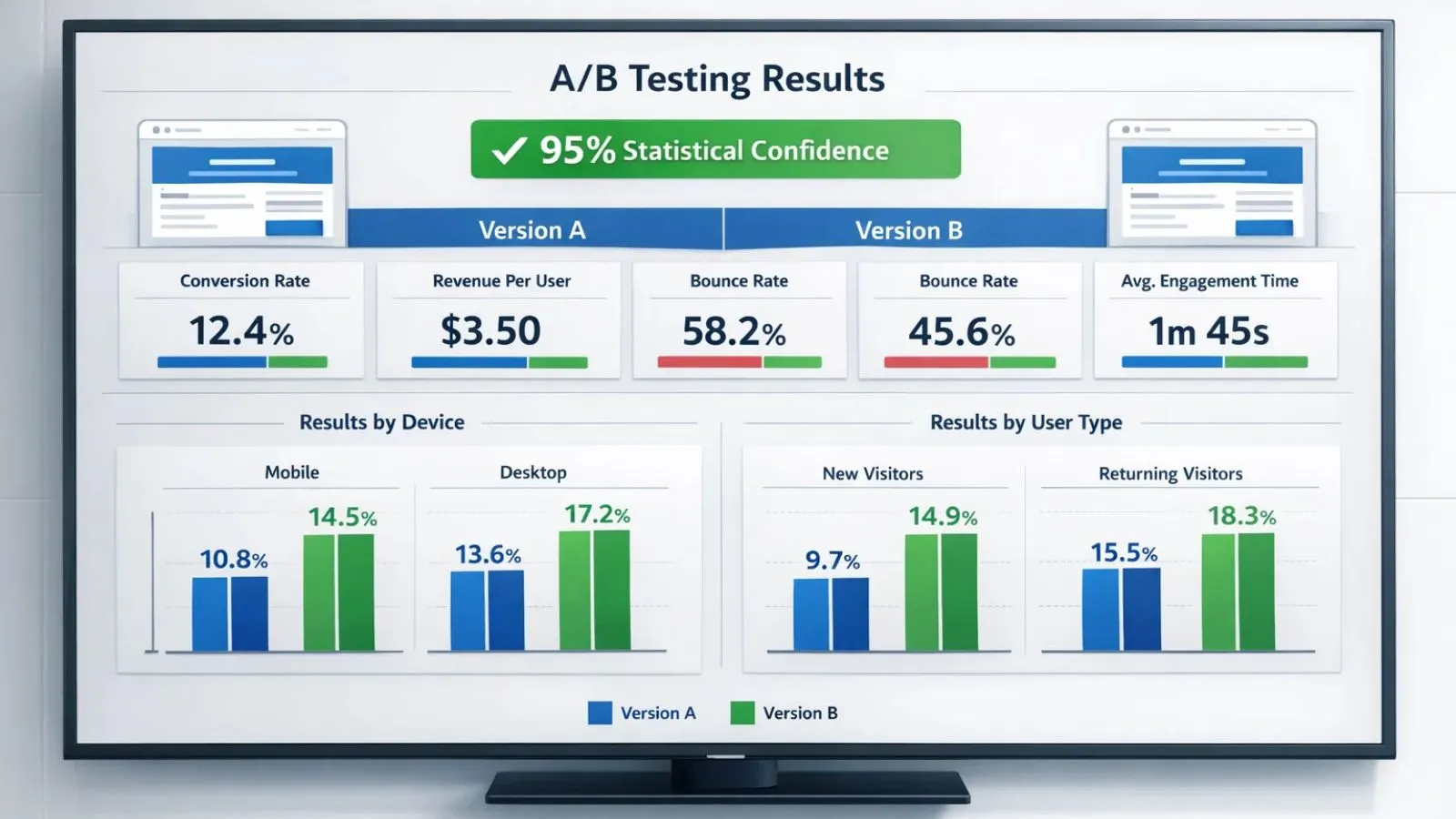
Don’t call a winner too soon. You want at least 95% confidence that your results aren’t just random luck. Most testing tools will tell you when you’ve hit this threshold. Until then, let the test keep running even if one version looks better. This patience is what separates successful a/b testing from unreliable guesswork.
2. Look at the Whole Picture:
Sure, your main goal matters most, but check other metrics too. Sometimes a variation increases sales but decreases how much people spend per order. Or it might get more clicks, but also more people immediately leave your site. You need to see the complete impact.
3. Break Down the Data:
Look at how different groups of people responded. Maybe your new design works great on mobile but worse on desktop. Or perhaps new visitors love it while returning customers prefer the original. These insights help you make smarter decisions.
Putting Winners into Action:
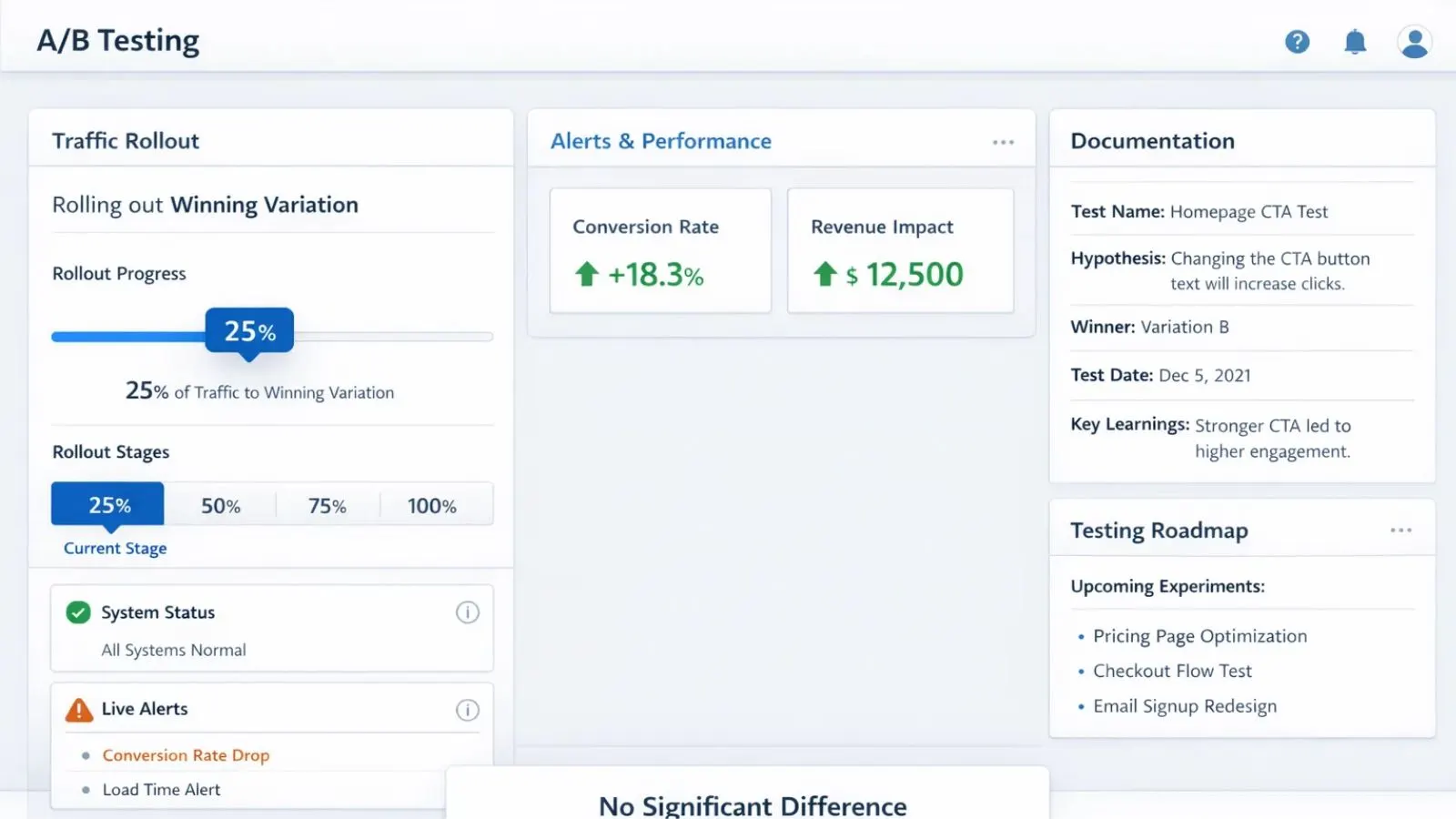
1. Roll Out Changes Carefully:
Even when you have a clear winner, start by showing it to maybe 25% of your traffic first. Watch for any problems before pushing it to everyone. This safety net has saved many marketers from discovering critical bugs after it’s too late.
2. Keep Records:
Write down what you tested, what happened, when you implemented the winner, and what you learned. Trust me, six months from now, when someone asks “Why did we change that?” you’ll be glad you documented everything. It also prevents accidentally re-testing the same thing.
3. Plan Your Next Tests:
Use what you learned to plan smarter tests going forward. If you discover your audience responds better to benefit-focused headlines, test that insight on other pages. A/B testing strategies should build on each other over time as you learn more about what your audience wants.
4. Learn from Tests That Don’t Win:
Not every test will have a winner; both versions perform the same. That’s actually useful information. It tells you that a particular element doesn’t matter much to your audience, so you can focus your energy elsewhere.
Also Read:
How AdsGPT Makes Testing Easier:
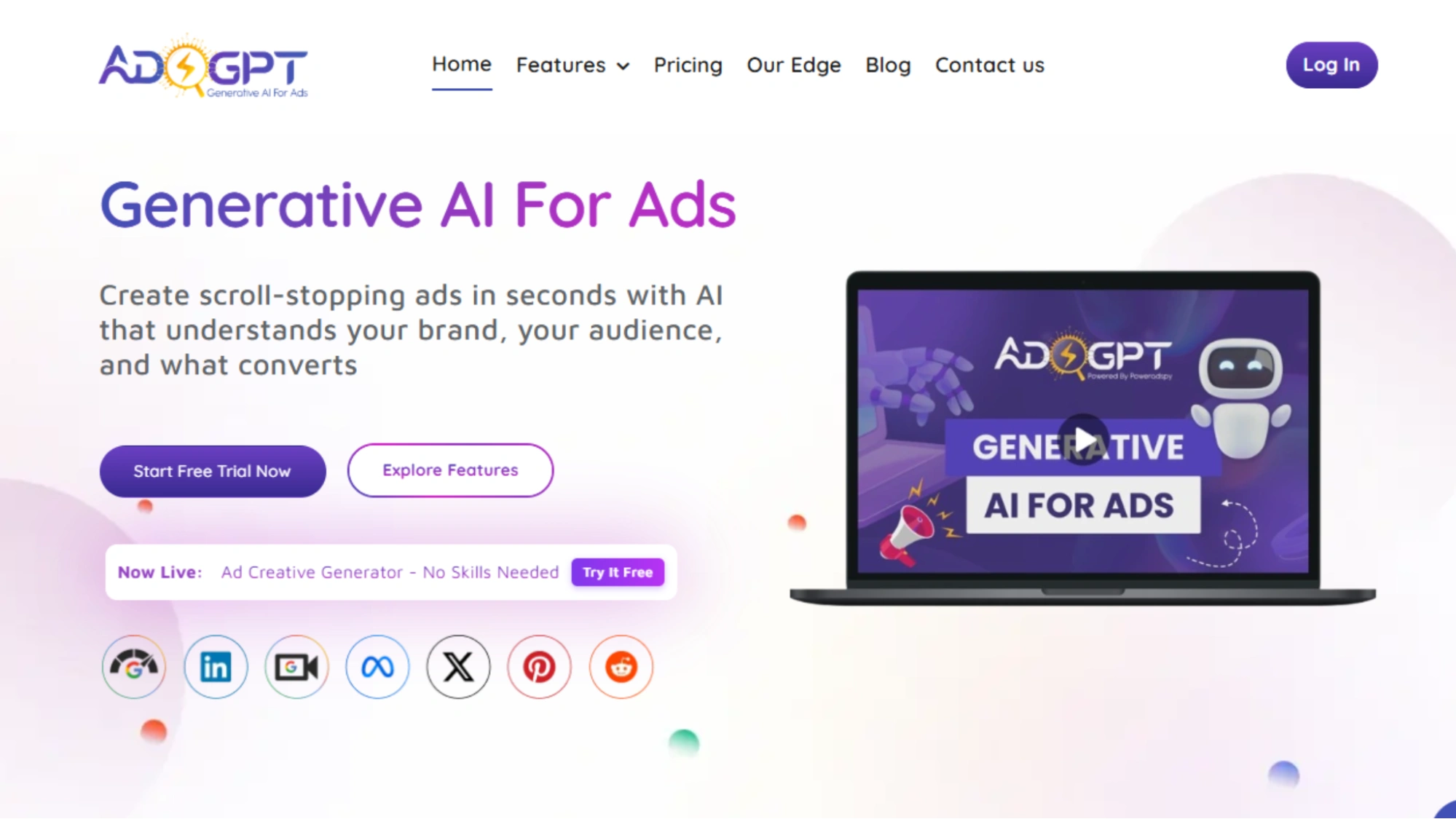
Running A/B testing marketing campaigns isn’t just about data; it’s about speed, creativity, and consistency. That’s exactly where AdsGPT fits in. It’s built to help marketers launch smarter tests faster, without burning hours on manual ideation.
Instead of spending days brainstorming ad variations, AdsGPT uses AI to generate multiple ready-to-test headlines, descriptions, and primary texts in seconds. You simply define your product, audience, and goal, and the platform produces variations designed around proven conversion patterns, not random guesses.
AdsGPT also helps you decide what to test first. Its predictive intelligence analyzes performance signals and suggests which elements, headline angle, CTA framing, value proposition, or emotional hook are most likely to impact results. This means fewer wasted tests and more meaningful experiments.
Managing tests across platforms is simpler, too. AdsGPT lets you monitor and compare A/B test performance across Google Ads, Meta (Facebook & Instagram), and display networks from a single dashboard. When a variation wins, you can quickly scale that creative across channels without rebuilding everything from scratch.
Another advantage is competitive insight. AdsGPT analyzes high-performing messaging trends within your industry, helping you generate smarter test ideas inspired by what’s already working in your market, while still maintaining your brand’s unique voice. If you want to run faster, more focused A/B tests without sacrificing creative quality, AdsGPT turns testing into a repeatable, scalable process instead of a constant manual grind.
Conclusion:
A/b testing isn’t rocket science, but it does require patience and a systematic approach. Follow this checklist, plan carefully, test one thing at a time, wait for solid data, and keep learning from every experiment. Start with your most important pages, focus on elements that are likely to matter, and let the numbers guide your decisions instead of going with gut feelings.
FAQ’s:
Q1: How long should I run an A/B test?
Ans: Give it at least two weeks, or keep going until you hit statistical significance with enough data. You need to capture how people behave throughout the entire week. Don’t pull the plug early just because one version looks like it’s winning after a few days; early patterns often don’t hold up. Proper a/b testing requires patience to get accurate results.
Q2: What kind of improvement should I expect from testing?
Ans: Most successful tests show improvements between 5-30%. But here’s the reality: not every test will produce a winner, and that’s okay. What matters is the cumulative effect of many small improvements over time, not hitting a home run with every single test.
Q3: Can I test multiple things at the same time?
Ans: Stick to testing one element at a time if you want clear answers. Testing multiple changes at once (called multivariate testing) only works if you have massive traffic, we’re talking 50,000+ monthly visitors, and it requires more complex analysis.
Q4: How many visitors do I need before results are trustworthy?
Ans: You typically need at least 1,000 conversions per version, so if your conversion rate is 2%, that’s 50,000 visitors per version, or 100,000 total. Use free sample size calculators online to figure out your specific requirements based on your current numbers.


MOST POPULAR