What Is AI Image Generation, Really? Type a sentence. Get a photograph. It really is that simple.
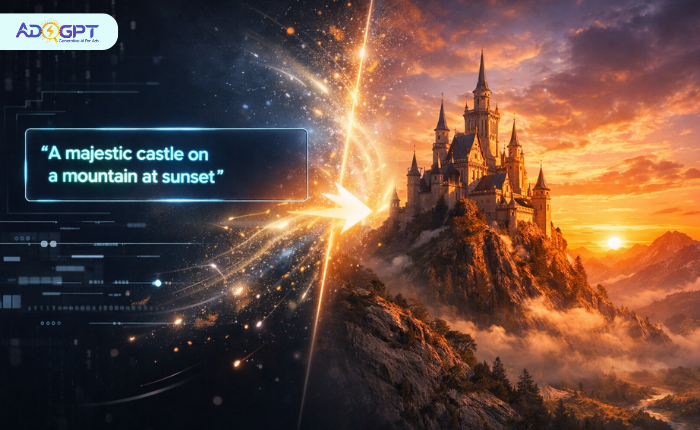
AI image generation creates original visuals from plain-text descriptions, using machine learning models trained on millions of images. No design skills, no camera, no expensive software. You describe what you want, and the AI builds it.
These images aren’t pulled from a database or remixed from existing content. The AI has learned to understand composition, lighting, texture, and style, so when you describe a scene, it constructs something genuinely new. That’s the fundamental difference between this and a stock photo search.
Roughly 34 million AI-generated images are created every single day across more than 2,000 platforms. Marketers, product designers, content creators, and business owners have made this a standard part of how they work.
Read Aloud!
How AI Image Generation Actually Works?
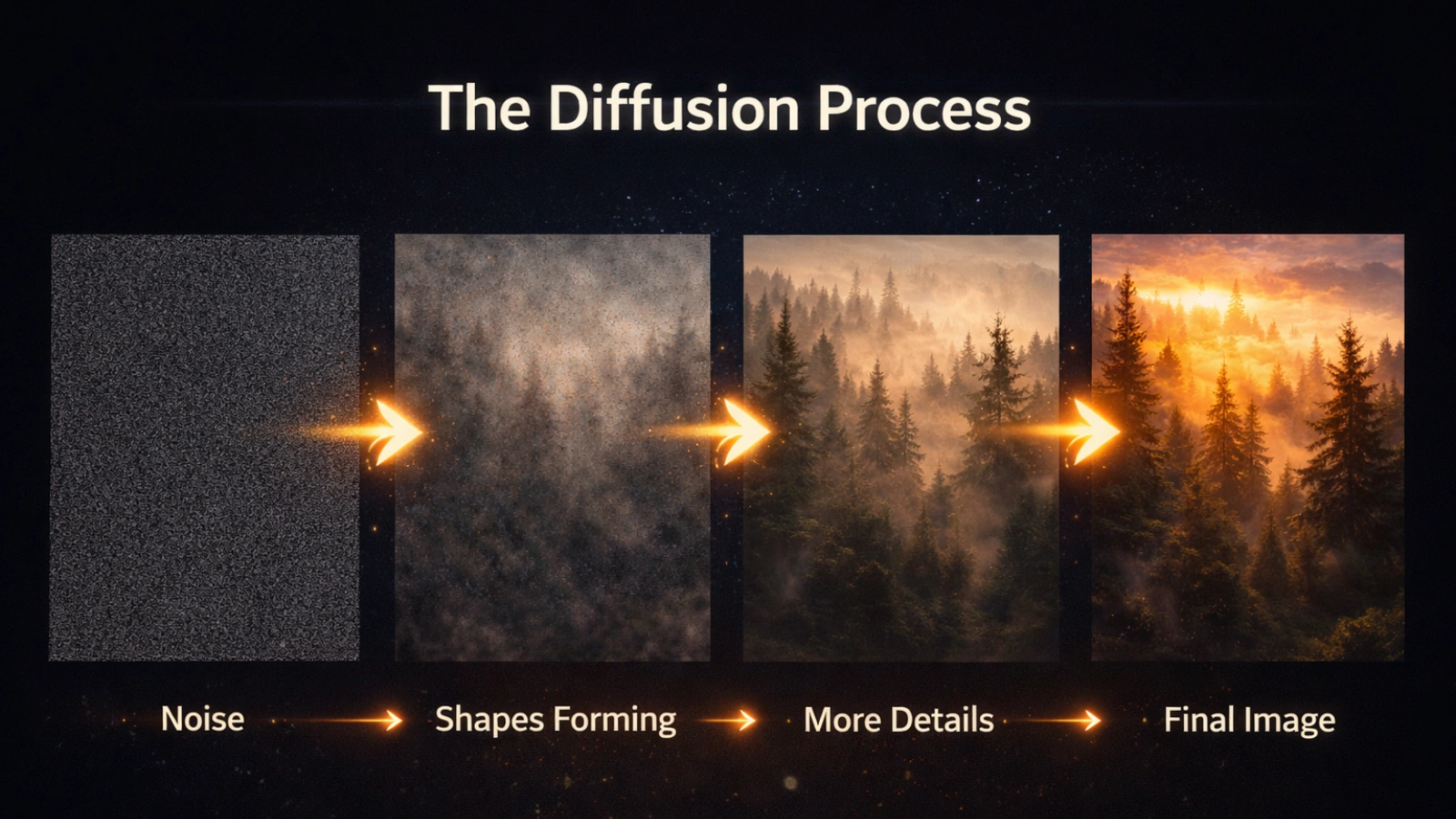
Most people picture a massive image library running behind the scenes, but that’s not how image generation AI works. In reality, AI image generation relies on learned patterns rather than stored images.
The technology is built on a process called diffusion. Think of a television screen filled with static noise. The AI clears that noise gradually, step by step, shaping it into a coherent image based on your text. Each pass adds more structure and removes more randomness until something recognizable emerges.
Before any of that starts, your prompt gets converted into a mathematical fingerprint-a representation that captures not just individual words but the relationships between them. “Foggy forest at sunrise, cinematic, golden light” becomes a set of values that tells the model precisely what to build.
A vague prompt produces vague results. A specific one gives the model real direction, and the output shows it. The AI isn’t guessing. It’s following the exact shape of what you described, which is what makes AI image generation so dependent on prompt quality.
One thing worth clearing up: the model doesn’t choose an aesthetic or have creative preferences. It generates images that statistically match the patterns tied to your prompt. That’s also why two identical prompts can produce two different images; controlled randomness is part of the process.
10 Creative Uses for AI Image Generation
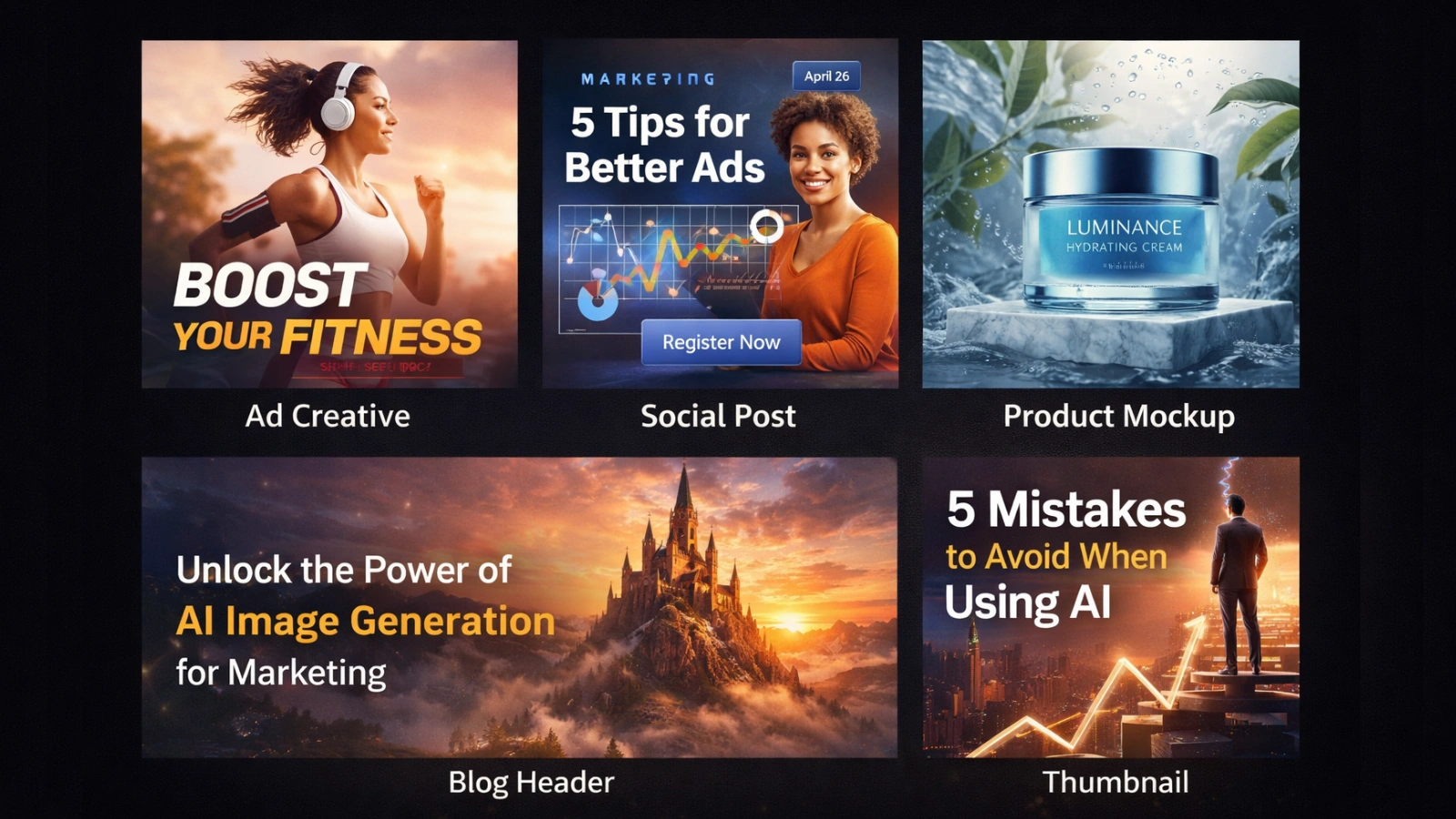
The range of practical applications here is broader than most people expect. These aren’t experimental use cases. They’re workflows that marketers, creators, and business owners are using right now.
-
Paid Ad Creatives:
Running campaign tests used to mean multiple design requests for each variation. Now it’s a single session. Different backgrounds, visual styles, compositional treatments, all generated quickly, giving you more data from more tests without the production overhead.
-
Social Media Content:
Keeping up a consistent visual presence is a real production challenge. AI image generation lets you match your posting schedule without exhausting your creative resources. A full week of on-brand visuals can realistically come together in an afternoon.
-
Product Mockups:
Physical photoshoots take time to arrange. When a product is still in development, AI image generation helps create mockups that fill that gap. You describe the product, the context, and the visual style and get production-ready imagery for landing pages, investor decks, or early campaign planning.
-
Blog and Article Illustrations:
Generic stock photography rarely fits an article’s specific tone or topic. Custom visuals created through AI image generation can be tailored to match the exact scene, mood, and visual language the piece calls for.
-
Email Campaign Visuals:
Emails with relevant, campaign-specific imagery consistently outperform those recycling the same stock image rotation. A hero visual that directly reflects the offer, the season, or the audience takes minutes to generate, not days to source and license.
-
Website and Landing Page Graphics:
Hero images, feature illustrations, and background visuals shape a visitor’s first impression. AI generation makes it practical to test different visual directions without commissioning separate design rounds for each one.
-
Video Thumbnails:
The thumbnail usually decides whether a video gets clicked. A custom, high-contrast visual built specifically for click-through performs better than a screenshot from the video itself. Generating several options quickly means you can actually test which one works.
-
Presentation and Pitch Deck Visuals:
Strong imagery helps complex ideas land. AI-generated visuals can illustrate concepts, support narrative moments in the data, and give a deck a polished, cohesive identity without needing to brief a designer.
-
Brand Concept Exploration:
Early-stage branding involves a lot of visual guesswork. AI image generation lets founders and strategists explore different color palettes, photographic styles, and tonal directions quickly, before investing in a full brand identity direction.
-
Seasonal and Campaign-Specific Content:
A Christmas campaign, a summer sale, and a product anniversary each deserves its own visual identity. AI generation compresses the production timeline so each moment can look distinct without triggering a full creative refresh.
How to Write Prompts That Actually Work?
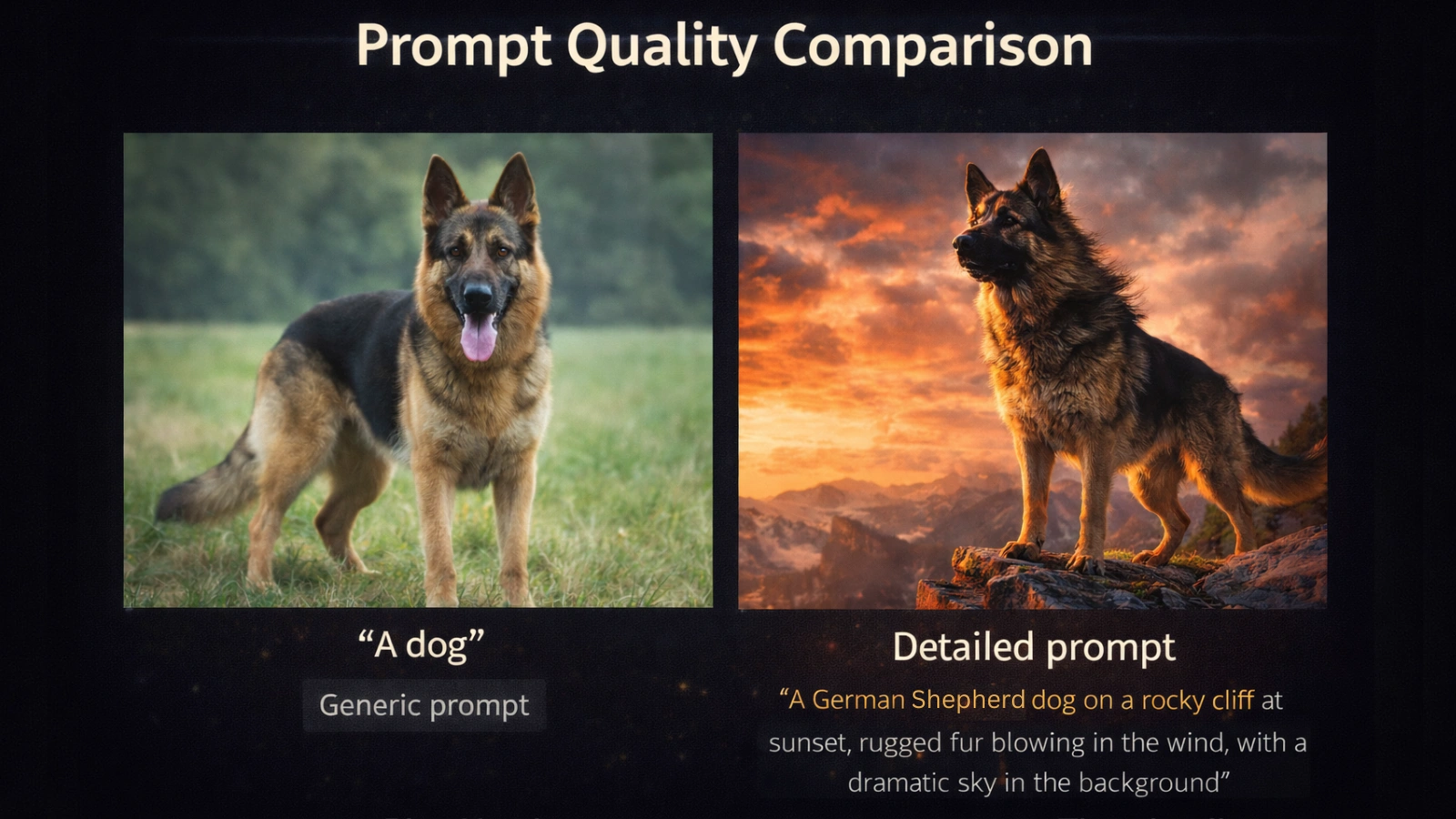
The most common beginner mistake has nothing to do with technology. It’s the prompts that don’t give the AI enough to work with.
“A dog” produces a dog. But it produces the most statistically average version of a dog imaginable. Every missing detail gets filled in with the model’s default answer. You get technically correct and completely unremarkable.
A strong prompt covers six things: subject, setting, style, lighting, camera perspective, and a quality modifier.
Prompt formula: [Subject] + [Setting] + [Style] + [Lighting] + [Camera angle] + [Quality cue]
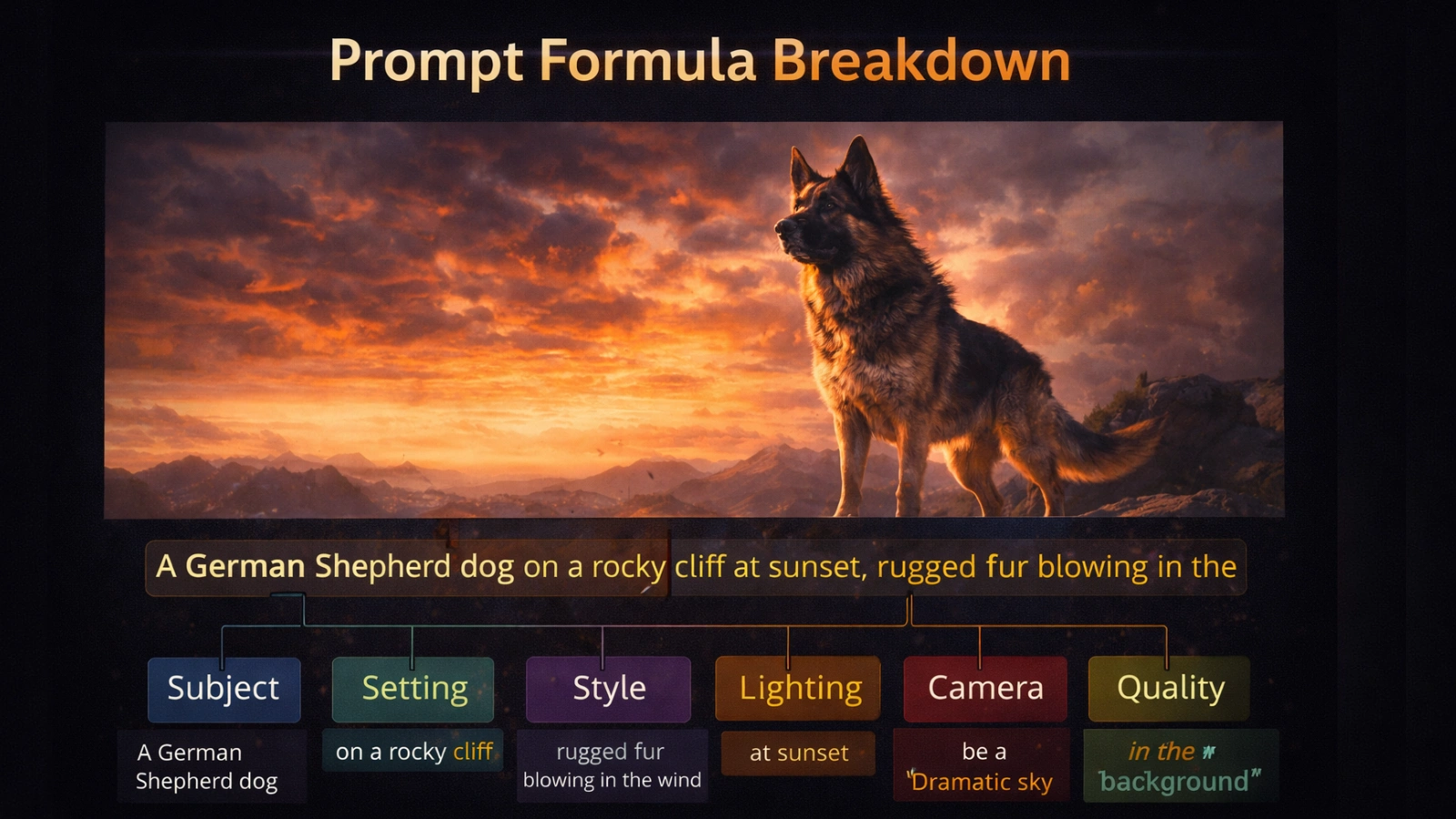
Here’s what the difference looks like:
Weak: a woman running Strong: a woman running on a coastal trail at sunrise, documentary photography style, warm backlight, low angle, ultra-sharp detail
Weak: a coffee shop Strong: interior of a small independent coffee shop, rainy window in the background, warm tungsten lighting, soft bokeh, analog film grain, cozy atmosphere
Weak: a product photo of a watch. Strong: luxury watch on a dark marble surface, overhead flat lay, studio lighting with subtle shadow, product photography, clean and minimal
Specificity removes ambiguity and activates learned associations with the style and mood you actually want. Those are two separate benefits working at the same time.
Negative prompts help just as much. Listing what you don’t want – blurry, distorted, watermark, low resolution, oversaturated steers the model away from the most common failure points before generation begins.
Keep prompt length reasonable. Around 40 to 60 words cover the essentials without diluting focus. A 300-word prompt doesn’t produce better results. It usually produces worse ones.
Why AdsGPT Is Built Differently
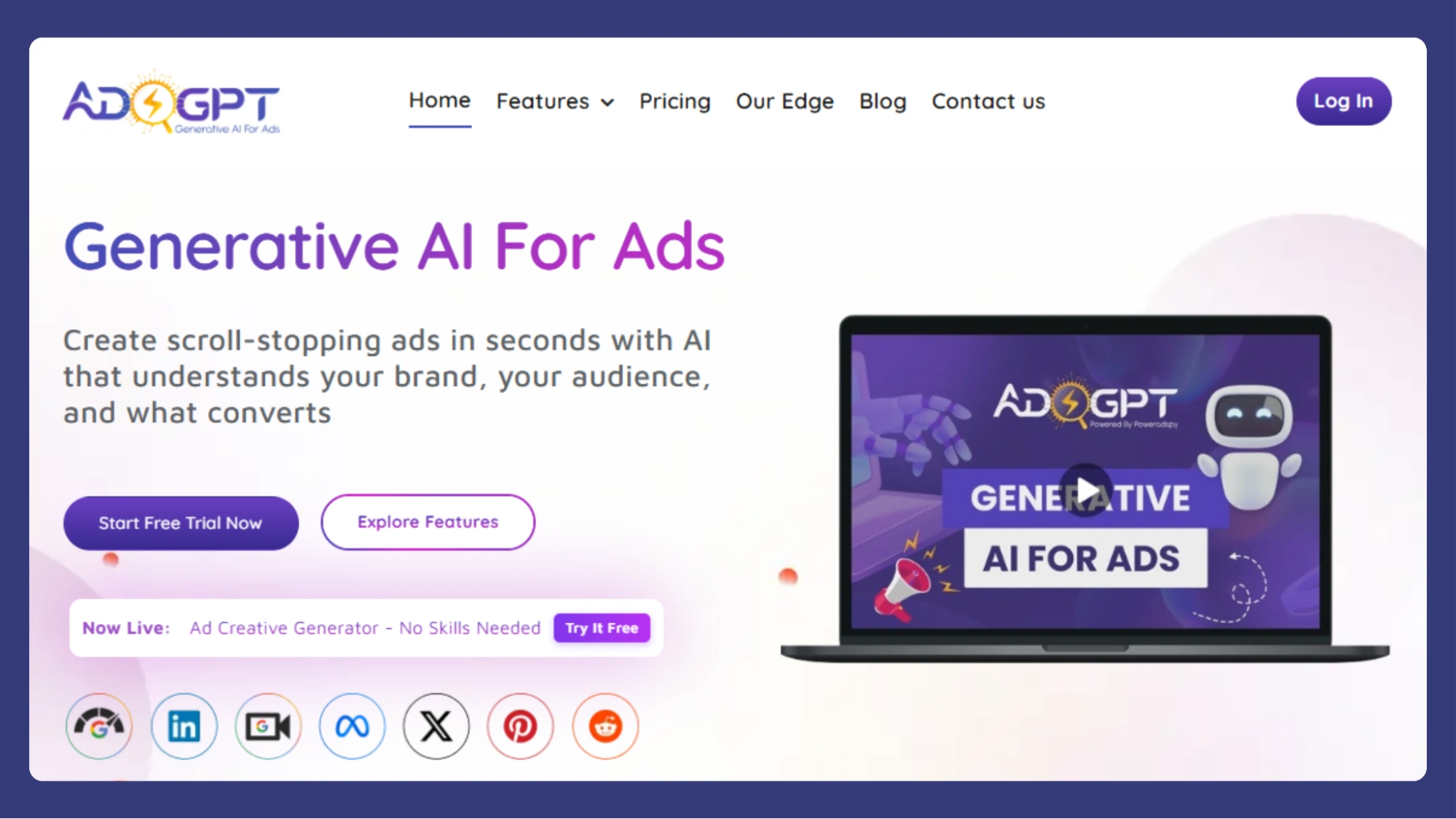
Most AI image generation tools focus on creating visuals. Choosing which AI is best for image generation often depends on whether you need creative images or creatives that are actually ready to run as ads.
AdsGPT is built for the latter. Instead of just generating images, it provides features designed for real marketing workflows:
- Generate Multiple Creatives
Create multiple ad variations in one go, making A/B testing faster and more structured. - Dynamic Image Styles
Choose from styles like realistic, 3D, anime, or general to match your brand tone and campaign needs. - Multiple Aspect Ratios
Instantly generate creatives in 1:1, 3:4, 16:9, or auto-adjusted formats for different platforms. - Platform-Specific Customization
Creatives are optimized for placements across Meta, Google, LinkedIn, Pinterest, and more. - Competitor-Inspired AI Ads
Input a competitor’s name to create visuals that differentiate your brand while staying strategically relevant. - Prompt-Based Personalization
Guide tone, messaging, and visual direction using simple prompts for more controlled outputs. - AI Video Generation
Generate video creatives alongside images, making it easier to create engaging ad content for platforms that prioritize motion. - Ready-to-Post Creatives
Outputs are already sized, styled, and structured for immediate use-no extra editing needed.
What this means in practice:
Instead of using AI image generation just to create visuals, AdsGPT helps you move directly from idea to deployable ad creatives (images and videos), reducing manual work and improving campaign efficiency.
Who Owns AI-Generated Images?
It comes up in almost every conversation about AI tools, and the answer deserves more than a vague disclaimer.
In most jurisdictions, including the United States, purely AI-generated images don’t qualify for automatic copyright protection. The US Copyright Office has been consistent on this: copyright requires human authorship. An image created entirely by an AI, without meaningful human creative input, has no clear owner under current law.
That shifts when human decisions enter the process. Significantly editing an AI-generated image, building it into a larger designed work, or using it as a foundation for original illustration all introduce human authorship, and those contributions can qualify for protection.
For commercial work, the more practical question is usage rights, not ownership. Whether you can legally run the image in a paid campaign, deliver it to a client, or sell a product featuring it depends entirely on the platform and the plan you’re on.
The straightforward advice: verify commercial use terms before deploying generated content in any professional or paid context. Terms vary between platforms and change over time. Keep a basic record of how and where your creatives were generated. When legal clarity matters and in advertising, it usually does – use a platform that addresses the question directly.
Mistakes That Are Easy to Avoid
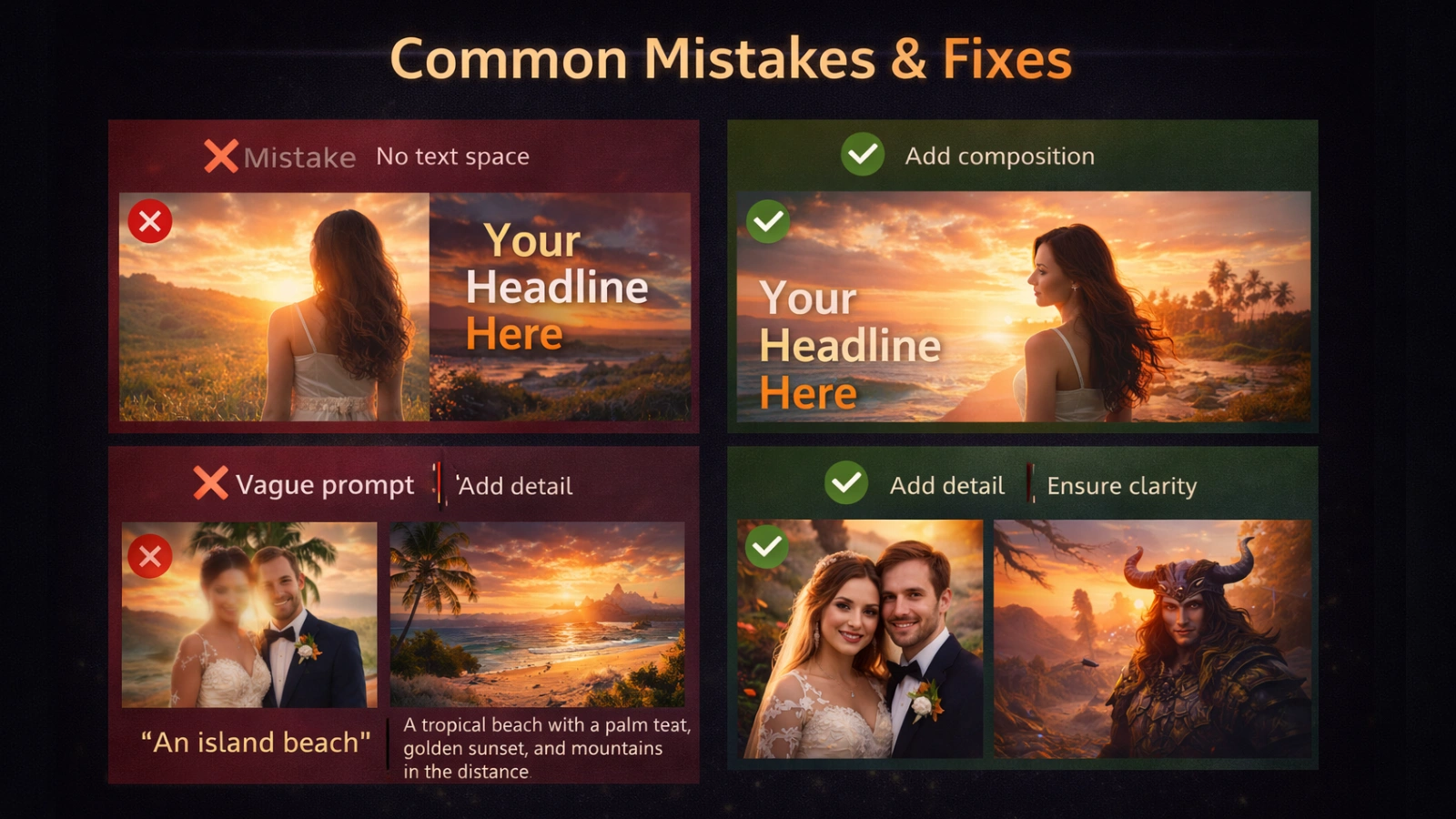
Treating the first output as final: AI image generation is a starting point, not a finish line. Real workflows involve iteration, refining the prompt, adjusting the composition, regenerating until the output is actually deployable.
Prompts that are too short: “A product on a background” tells the AI almost nothing. Describe the product, the setting, the visual style, the lighting, and where the image is headed. In image generation, output quality tracks directly with prompt quality.
Forgetting about text placement: A visually strong image becomes unusable if there’s no room for a headline, or the product disappears at thumbnail size. Consider the final placement before generating, not as an afterthought.
Generating without knowing what good looks like: Speed only helps if you have criteria for selection. Before a generation session, define what the creative needs to accomplish for this specific brief. Without that, you end up with more options and no clearer decision.
Treating copy and visuals as separate work: They need to tell the same story. In AI image generation, a visual pulling in one direction while the headline says something else creates friction rather than a clear message. Start both from the same brief.
Leaving platform context out of the prompt: A LinkedIn creative and a TikTok ad have different compositional needs. Specifying the platform means the composition is structured for where the creative will actually run, not adjusted after the fact.
Where This Is All Heading
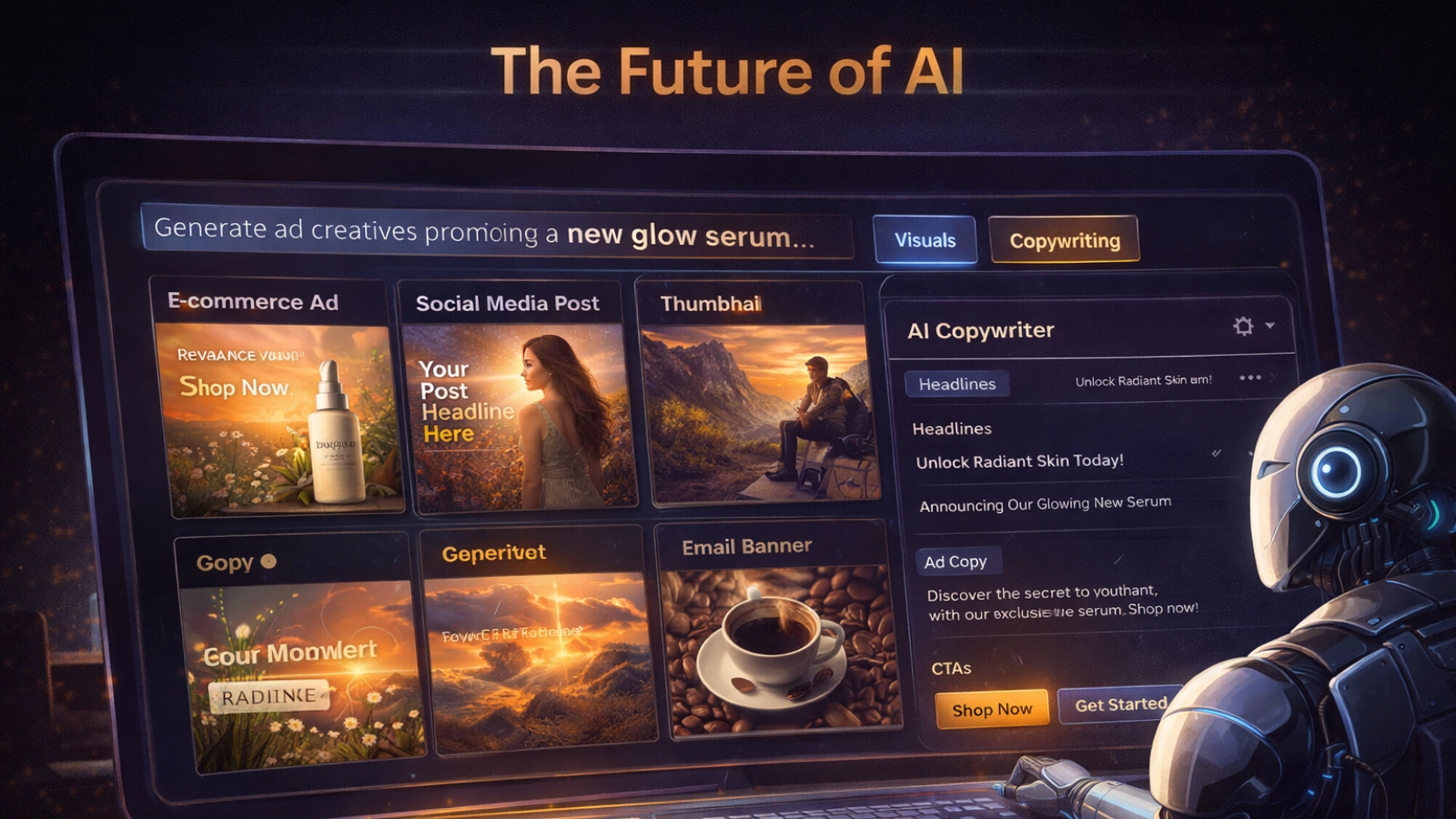
Three years ago, AI image generation was a curiosity. Today, it’s infrastructure. The tools available produce photorealistic visuals that regularly pass for professional photography, and they’re accessible to anyone running a campaign.
The next shift isn’t about quality. It’s about integration. Real-time creative generation tied to live campaign performance, image-to-video pipelines, multimodal outputs combining visual, copy, and format in a single pass. Several of these are already in early deployment.
As the best AI for image generation tools continue to evolve, the focus is shifting from output quality to workflow integration.
What stays constant through all of it is the value of a clear brief. Knowing how to describe what you want precisely enough that a model can act on it without guessing is a skill that compounds over time. The tools improve. The people who develop that instinct early keep the advantage.
The barrier to starting is low. The upside of starting now is real.
Frequently Asked Questions
What are AI image generation prompts?
AI image generation prompts are text descriptions that guide an AI tool to create specific visuals by defining the subject, style, setting, lighting, and other details.
How do AI image generators create visuals?
AI image generators create visuals by converting text prompts into mathematical representations and using models like diffusion to gradually transform noise into a coherent image based on the description.
How to create AI-generated images from text prompts?
To create AI-generated images from text prompts, describe the subject, setting, style, lighting, and perspective clearly, then input the prompt into an AI tool, which generates visuals based on your description.
How does AdsGPT improve AI image generation for marketing?
AdsGPT improves AI image generation by creating platform-ready ad creatives with correct formats, styles, and variations optimized for performance.
Can AdsGPT create video ads from text prompts?
Yes, AdsGPT can generate video ads from simple text prompts, helping you create engaging ad creatives without complex editing tools.
MOST POPULAR