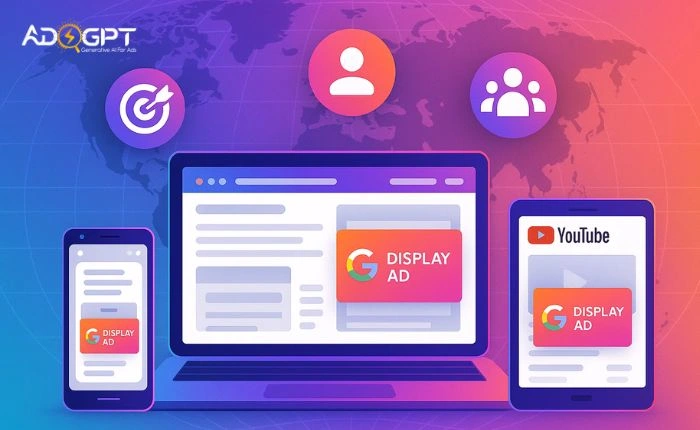
If you want more people to notice your brand online, Google display ads are one of the fastest ways to get in front of the right audience. These ads appear across millions of websites, apps, and YouTube placements—giving your business the kind of visibility that isn’t possible through organic efforts alone.
Display ads help you show your message to users even when they’re not actively searching. That makes them a powerful tool for awareness, remarketing, and keeping your brand top-of-mind during the entire customer journey.
When used smartly, they can turn cold audiences into warm prospects and push existing prospects closer to conversion—all while strengthening your overall digital presence.
What Are Google Display Ads and How They Work?
Google display ads are visual ads that appear across the vast Google Display Ad Network—millions of websites, blogs, apps, and YouTube placements where your target audience spends time daily. Instead of relying on users typing in a keyword, display ads reach people based on interests, behavior, demographics, and browsing patterns.
This makes Google display advertising incredibly effective for building awareness at scale. Your ads can show up while users read the news, watch videos, check recipes, or browse content related to your industry.
The system works through automated bidding and audience targeting. You create the ad, select your audience, set your budget, and Google’s algorithm ensures it’s delivered to the right group of people at the right moment. It’s straightforward, flexible, and designed for brands that want visibility across the web, not only on Google searches.
Why Google Display Ads Are Essential for Visibility?
If your goal is to get your brand seen by more people, Google display ads offer one of the widest reaches available. Instead of waiting for users to search for your product, you can proactively appear in front of audiences who are most likely to be interested.
Massive Reach Across the Internet
The Google Display Ad Network covers millions of websites. That means your ads can show up in places where your audience already spends time—news sites, blogs, apps, and videos.
Boosts Top-of-Mind Awareness
Even when people don’t click immediately, repeated visual exposure helps them remember your brand. This is why display ads work so well at the top of the marketing funnel.
Stronger Targeting Than Traditional Advertising
You can target users by interest, topic, or behavior, making sure your message appears for the right people. This precision is a major advantage over traditional offline advertising.
Works Perfectly With Remarketing
Display ads shine when used for remarketing—reminding past visitors about your product and nudging them back to your site.
As a visibility strategy, few channels match the reach and flexibility of the Google Display Ad Network.
Understanding Google Display Ad Sizes and Formats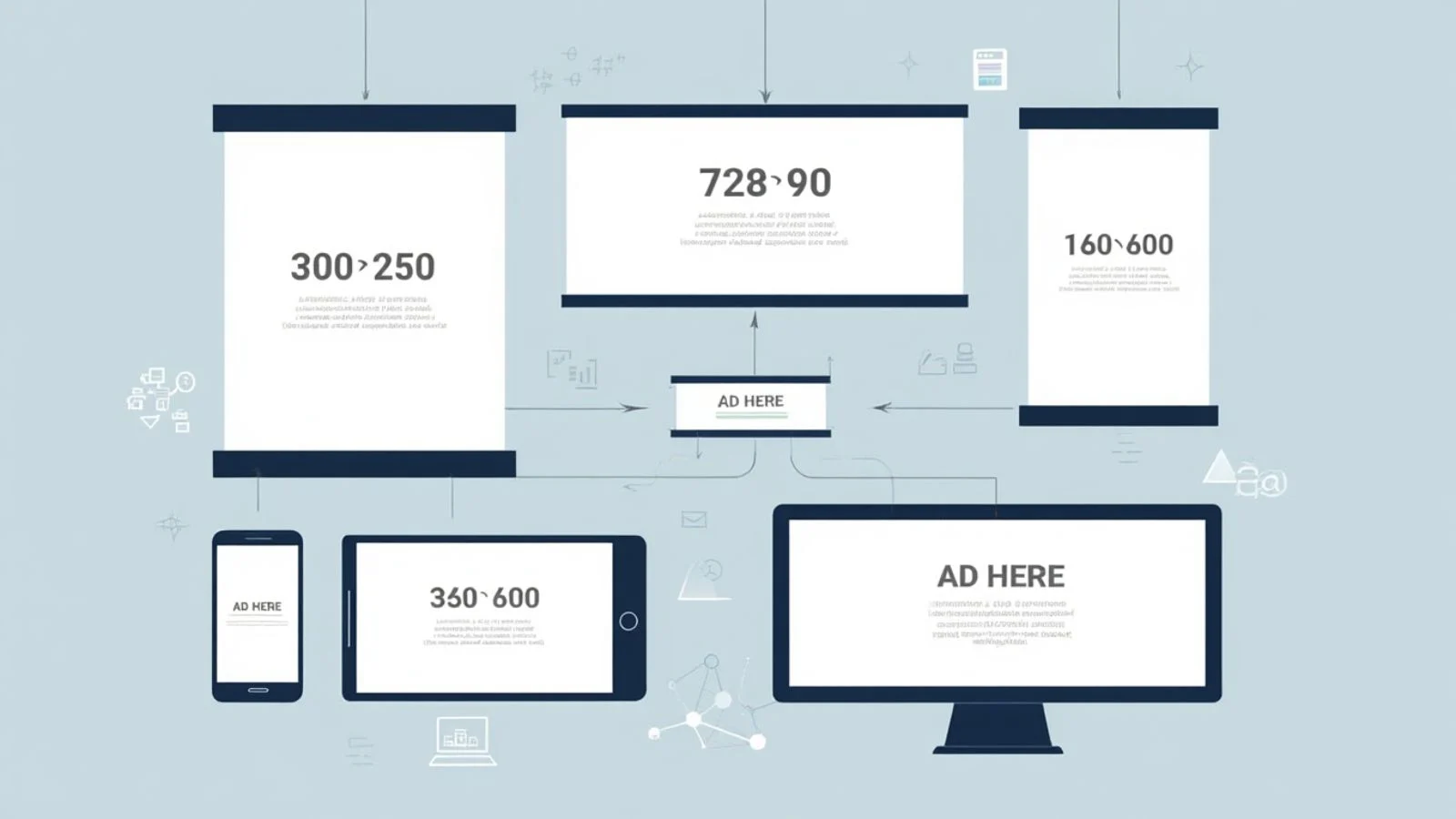
To run effective google ads, you need to use the right formats and dimensions. Google supports multiple ad sizes, and choosing the correct ones helps your ads appear more frequently across the web.
Most Common Display Ad Sizes
Some ad sizes perform better because more publishers support them. Popular display ads Google size options include:
- 300 × 250 (Medium Rectangle)
- 728 × 90 (Leaderboard)
- 160 × 600 (Wide Skyscraper)
- 300 × 600 (Large Skyscraper)
- 336 × 280 (Large Rectangle)
These are widely used across the Google Display Ad Network and give your ads maximum visibility.
Responsive Display Ads
Responsive ads automatically adjust their format, layout, and appearance to fit any available ad space. Google pulls from your headlines, descriptions, images, and logos, making them flexible and easy to scale.
Know the Specs Before Designing
Understanding Google display ad dimensions and Google display ad specs helps you avoid rejected creatives and ensures your ads render properly across websites.
Key specs include:
- Clear images with no blurred elements
- Minimal text overlay
- Proper logo size and aspect ratio
- High-quality graphics aligned with Google policies
Using the right formats increases impressions and gives your brand more space across the display network.
Targeting Options That Improve Visibility
One of the biggest strengths of Google Display Ads is the ability to reach highly specific audiences. Instead of showing your ads to everyone, you can target people who are most likely to be interested in your business.
Demographic Targeting
Reach users based on age, gender, location, household income, and more. Great for broad visibility with relevance.
Interest-Based Targeting
Google groups users by their behavior across the web. This helps you show ads to audiences interested in topics related to your industry.
In-Market and Affinity Segments
- Affinity audiences: For long-term interests like travel, tech, or fitness
- In-market audiences: For people actively researching or planning to buy soon
This combination boosts both exposure and conversions.
Custom Audiences
You can build audiences based on keywords, URLs, or apps related to your niche. This gives you precise control over whom your ads target.
Contextual Targeting
Your ads appear on pages that share relevant themes. For example, travel ads appearing on travel blogs.
Placement Targeting
Manually select specific websites or YouTube channels within the google display ad network where you want your ads to appear.
Smart targeting ensures your brand gets noticed by the right people, not just more people.
Crafting High-Impact Display Ads
Good targeting gets your ad in front of the right people, but strong creative is what makes them pay attention. For Google display ads to boost visibility, your visuals and message must be instantly clear and compelling.
Keep Your Message Simple
People scroll fast. Use short headlines, benefit-focused text, and a clear value proposition. One core message per ad works best.
Use Strong, Clean Visuals
Bright, high-quality images attract attention quickly. Avoid clutter, heavy text, or anything that looks too busy.
Make Your CTA Impossible to Miss
Your call-to-action should tell users exactly what to do—“Learn More,” “Shop Now,” or “Download.” Simple and direct always performs better.
Match Design With Audience Intent
A professional audience expects clean, modern visuals. A lifestyle audience may respond better to warm, energetic creatives. Tailor based on who you’re targeting.
Stay Consistent With Your Branding
Colors, fonts, and imagery should align with your brand identity. Consistency builds recognition across the Google Display Ad Network.
Great creative grabs attention, communicates value fast, and invites the click—all essential for stronger visibility.
Best Practices to Improve Your Google Display Ads Performance
Now that you understand targeting and placements, let’s talk about the practical things you can do to make your Google Display Ads deliver stronger, more consistent results. Small improvements can make your campaigns stand out across millions of websites inside the Google display ad network.
✔ Use Eye-Catching Visuals
People scroll fast, so your creatives need to grab attention instantly.
Use bold images, clean layouts, and clear messaging. Make each visual easy to understand, even at a glance.
✔ Keep Your Message Simple
Display ads work best when the message is short and direct.
Focus on a single benefit, a single emotion, or a single call-to-action.
✔ Follow Google Display Ad Specs
Your visuals must fit Google’s recommended formats to run smoothly.
Most businesses also create multiple sizes to make sure ads appear across as many placements as possible.
✔ Include a Clear CTA
Use direct action words like:
Shop Now • Learn More • Try Free • Get Offer
A good CTA can boost clicks by guiding users toward the next step.
✔ Test Multiple Variations
Run A/B tests for:
- Headlines
- CTA buttons
- Colors
- Layouts
- Creatives
These small experiments help you identify what resonates with your audience.
✔ Refresh Your Creatives Often
People get used to seeing the same images. Rotating creatives every few weeks keeps performance strong and reduces ad fatigue.
Common Mistakes to Avoid in Google Display Ads
Even though Google Display Ads can bring massive visibility, some mistakes can limit your results without you realizing it. Here are the errors most advertisers make and how you can avoid them.
❌ Overloading the Ad With Too Much Text
Display ads are visual-first. When you pack too many words into a small banner, people simply ignore it.
Stick to a simple headline, short description, and clean design.
❌ Ignoring Google Display Ad Dimensions
If your ad doesn’t follow recommended sizes, you’ll miss out on huge portions of available placements.
Using the correct Google display ad dimensions also ensures your creatives appear sharp and professional.
❌ Not Setting Frequency Caps
Seeing the same ad too often can annoy users.
A frequency cap keeps your campaign visible without overwhelming your audience.
❌ Targeting Too Broad or Too Narrow
Showing your ad to everyone wastes budget, while showing it to too few people limits visibility.
Balance reach with relevance for the best results.
❌ Forgetting to Optimize Landing Pages
Even perfectly designed display ads fail if the landing page doesn’t match your messaging or offer.
Make sure the page loads fast and provides exactly what your ad promises.
❌ Not Using High-Quality Creatives
Low-resolution images or cluttered visuals reduce credibility.
Follow google display ad specs and always upload crisp, high-quality graphics.
How AdsGpt Helps You Create High-Converting Google Display Ads
Creating effective High Converting Google Ads can take a lot of time, from designing creatives to writing copy to testing multiple versions. AdsGpt simplifies the entire process and helps you boost performance faster.
✨ Instant High-Quality Creatives
AdsGpt can generate clean, professional banner designs tailored to Google Display Ads. It ensures your visuals match the required Google display ad specs and look perfect across all major formats.
✨ Data-Backed Copy Suggestions
Struggling with headlines or CTAs?
AdsGpt recommends compelling, conversion-focused messaging based on proven patterns and audience behavior.
✨ Create Multiple Variations in Seconds
Instead of manually designing every version for google display ad dimensions, AdsGpt automatically adapts your creative into multiple sizes so you can test quickly and scale winning ads with ease.
✨ Audience-Smart Ad Optimization
AdsGpt analyzes patterns and helps you refine your message so your ads resonate more deeply with your target audience — giving your Google display advertising campaigns a performance boost.
✨ Saves Time & Improves ROI
With faster creative production and smarter testing, AdsGpt helps you stretch your ad budget and reach more people on the Google Display Ad Network.
Also Read,
Conclusion
Google display ads can dramatically improve your brand’s visibility when you use the right targeting, strong creatives, and clear messaging. With consistent testing and optimization, you can turn simple banners into powerful traffic and conversion drivers. And with tools like AdsGpt, creating high-quality display ads becomes faster, easier, and far more effective — giving your campaigns the boost they need.
FAQs
1. Do Google display ads work for small budgets?
Yes, Google display ads can perform well even with small budgets. You can start with low daily spending, focus on narrow audiences, and use automated bidding to maximize results.
2. How long does it take to see results from display campaigns?
Most marketers begin noticing trends within 7–14 days. This gives Google enough time to learn your audience and optimize placements.
3. Are video creatives accepted in Google display ads?
Yes. Along with static banners, Google allows short video assets for display campaigns, which can improve engagement and visibility.
MOST POPULAR